The GAP Partnership · The Negotiation Circle
Designing a workspace negotiators come back to
- Discovery
- AI-assisted concepts
- User testing
- Components
The challenge
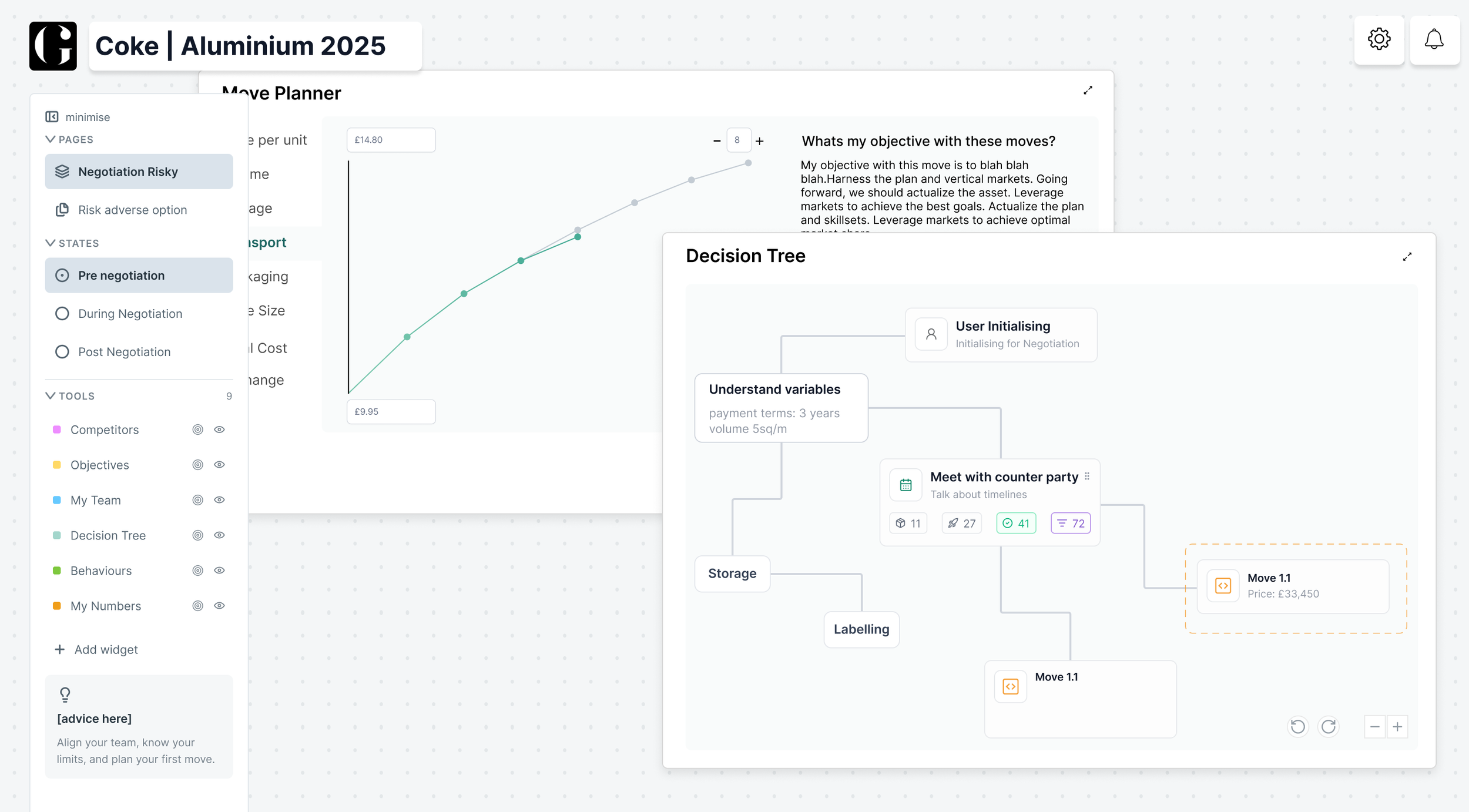
Somewhere to set up and track a live negotiation
Users needed an area where they could set up and follow their current negotiation. They must be able to:
- Access info such as their counterparty and their own team
- Understand the approach and the objectives
- Add and edit the variables at play
- TeamMe (design lead), Head of Innovation, negotiation consultants and a BA
- Tools usedFigma, Figma Make and Claude
Discovery
The starting point
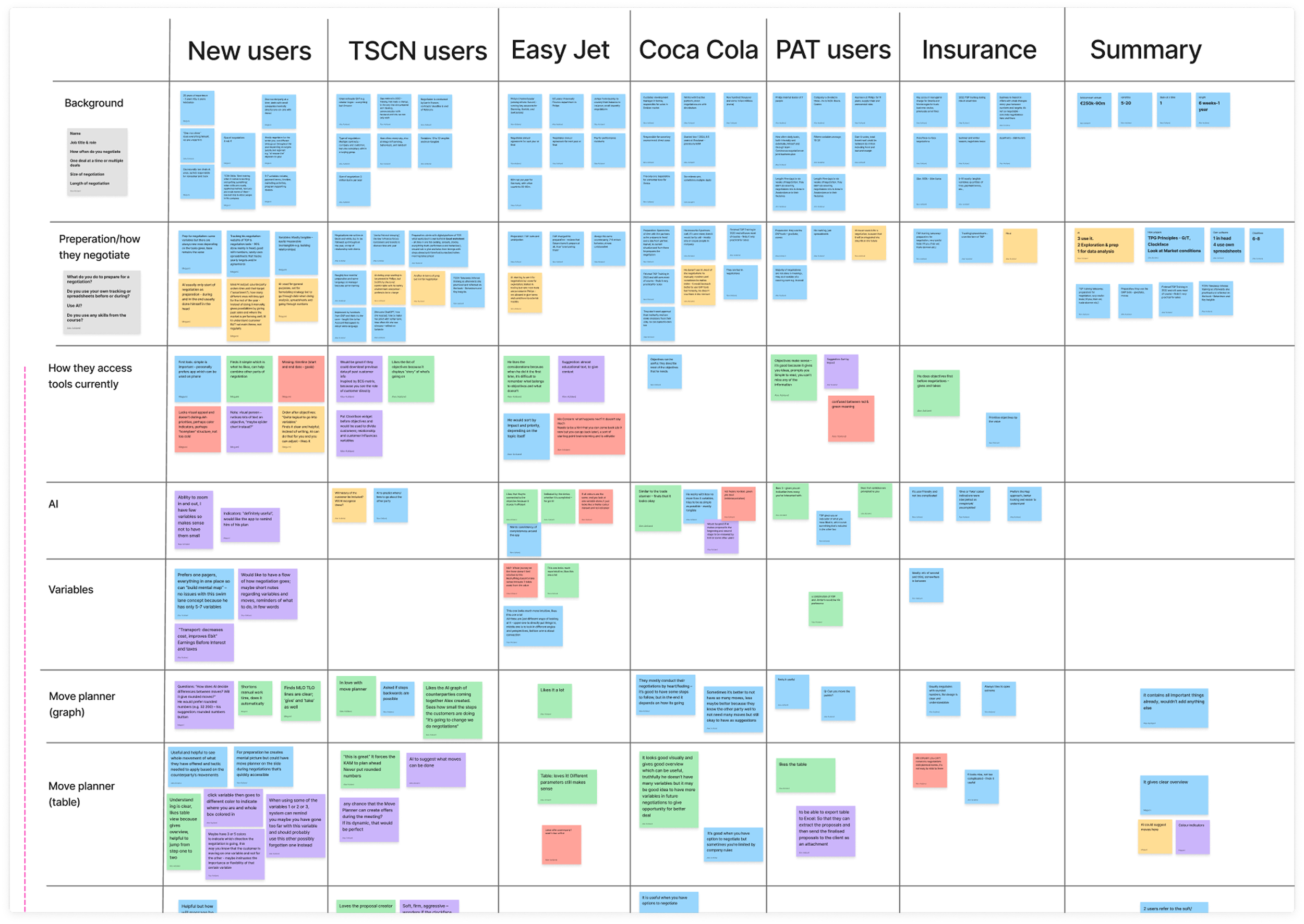
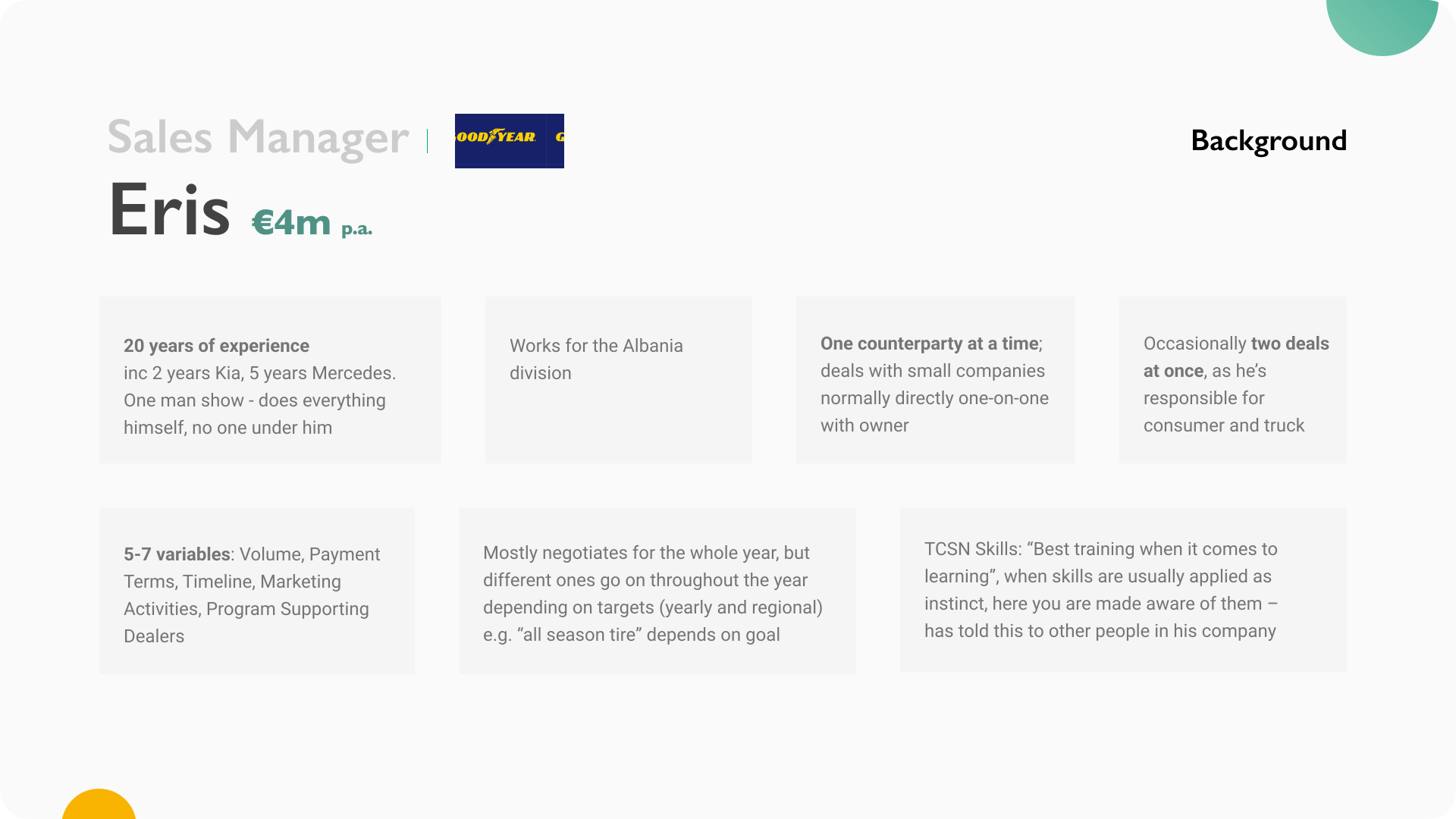
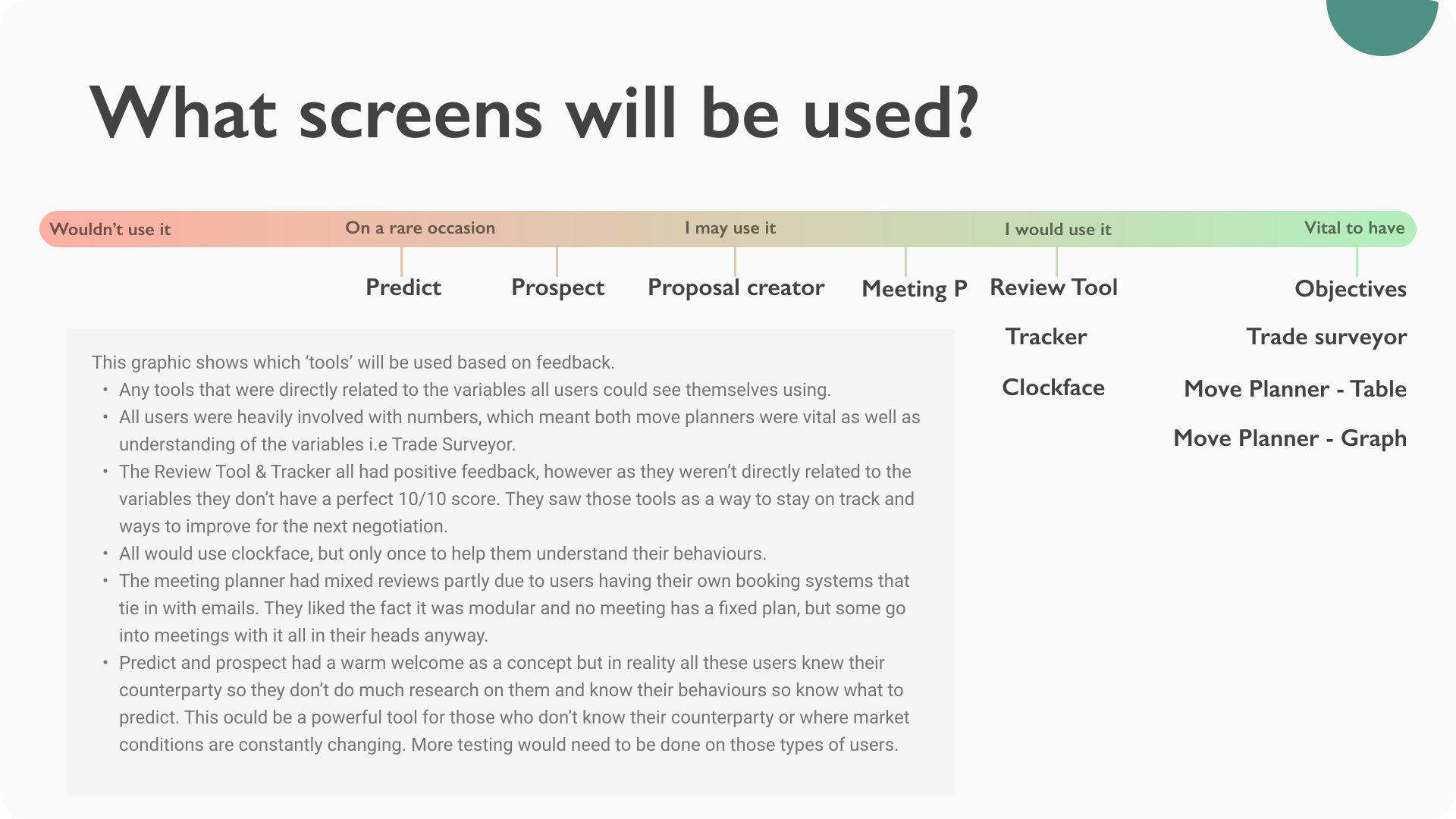
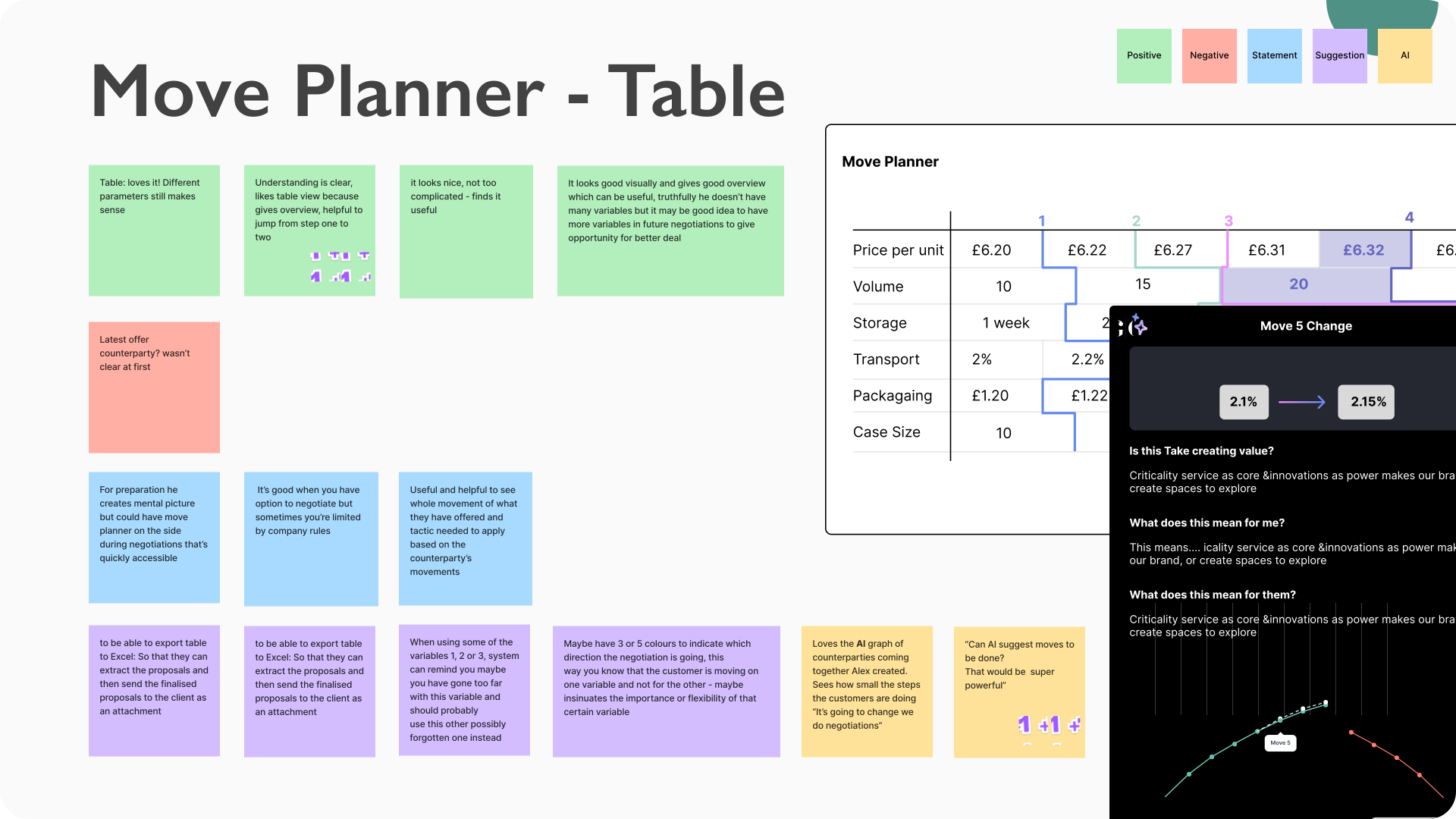
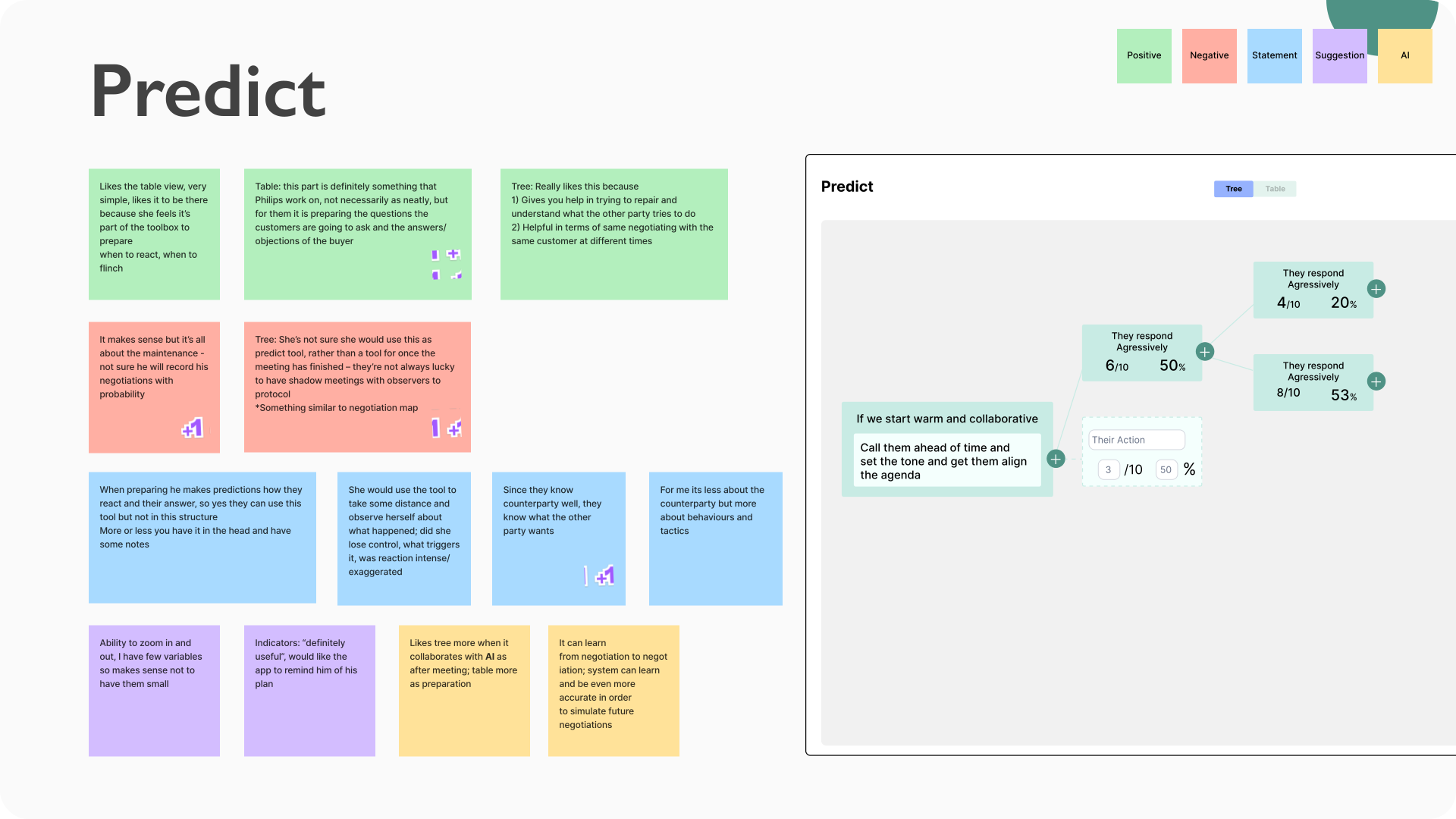
I started by speaking with users about how they used the old product. I documented my notes with users along the x axis and the tools down the y axis.
I wanted to understand
- 01Their negotiation process from start to finish
- 02Which tools they used, and in what order
- 03Their thoughts on the current dashboard
- 04How they stay on track
- 05Whether they use external tools or AI
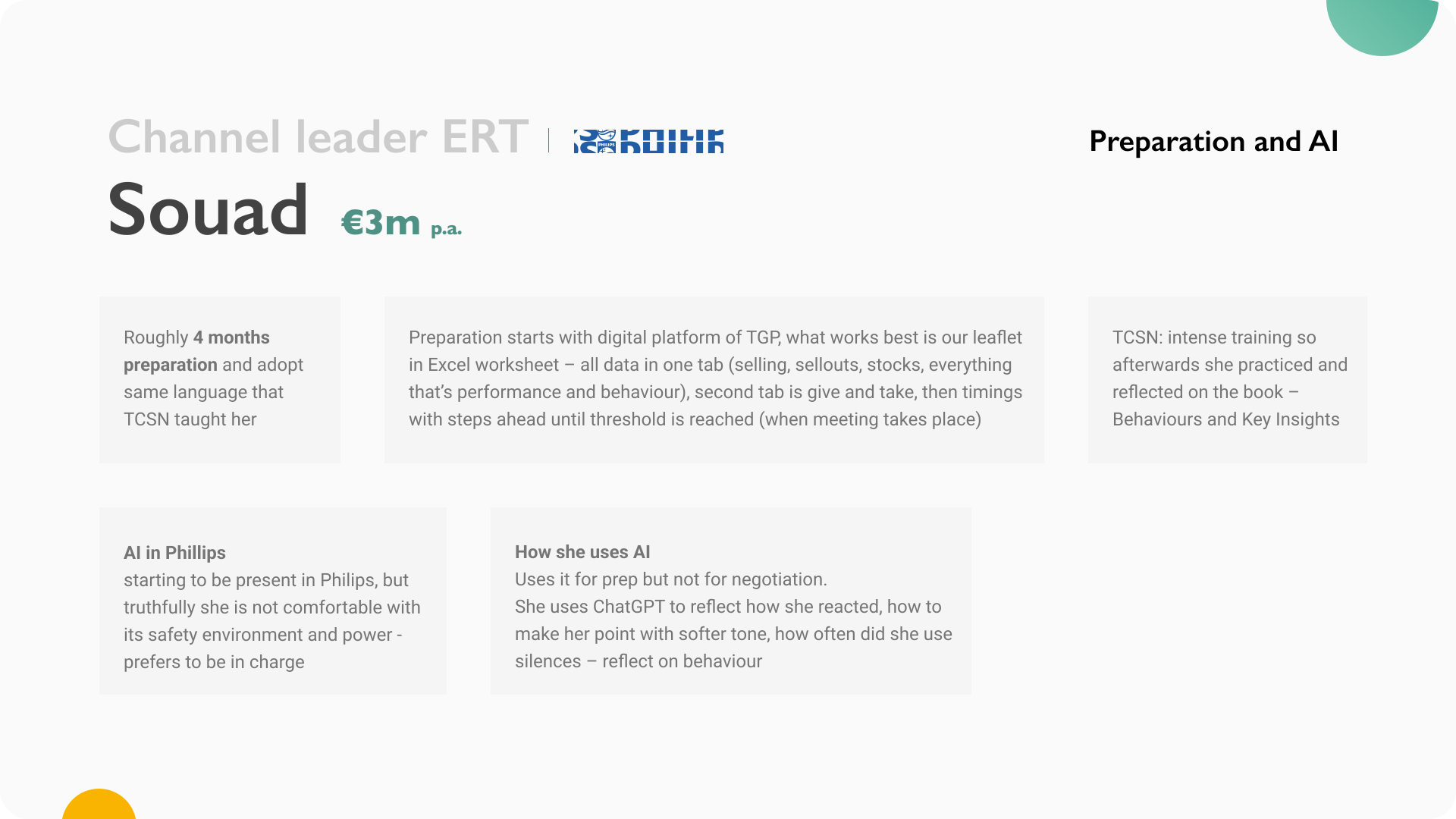
I brain-dumped the findings into Claude using meeting notes and voice dictation, talking through my thoughts and letting Claude turn everything into usable requirements.
I reviewed the output with senior stakeholders and the Head of Innovation, and iterated on the requirements until we were confident we were solving the right problem.
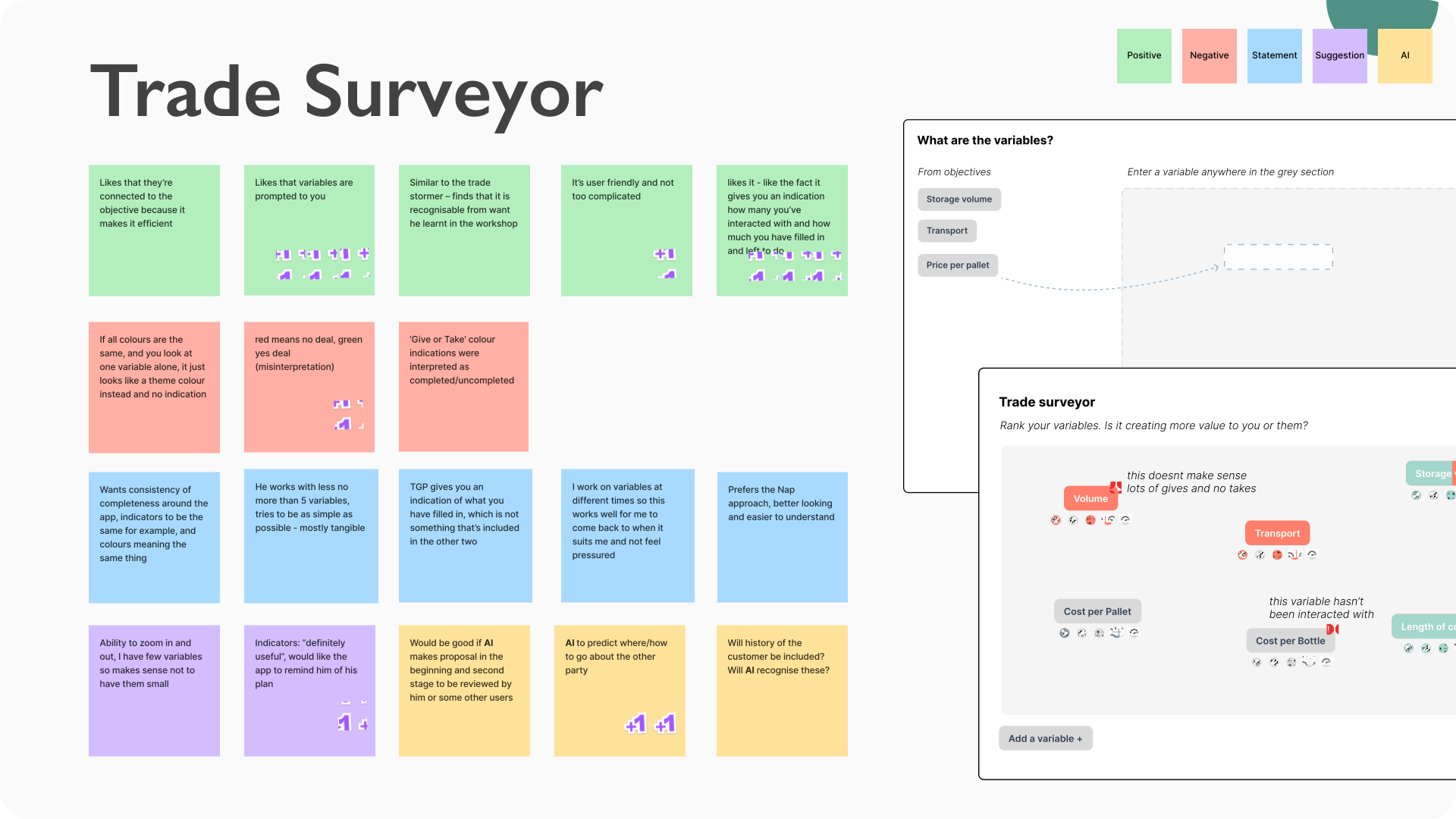
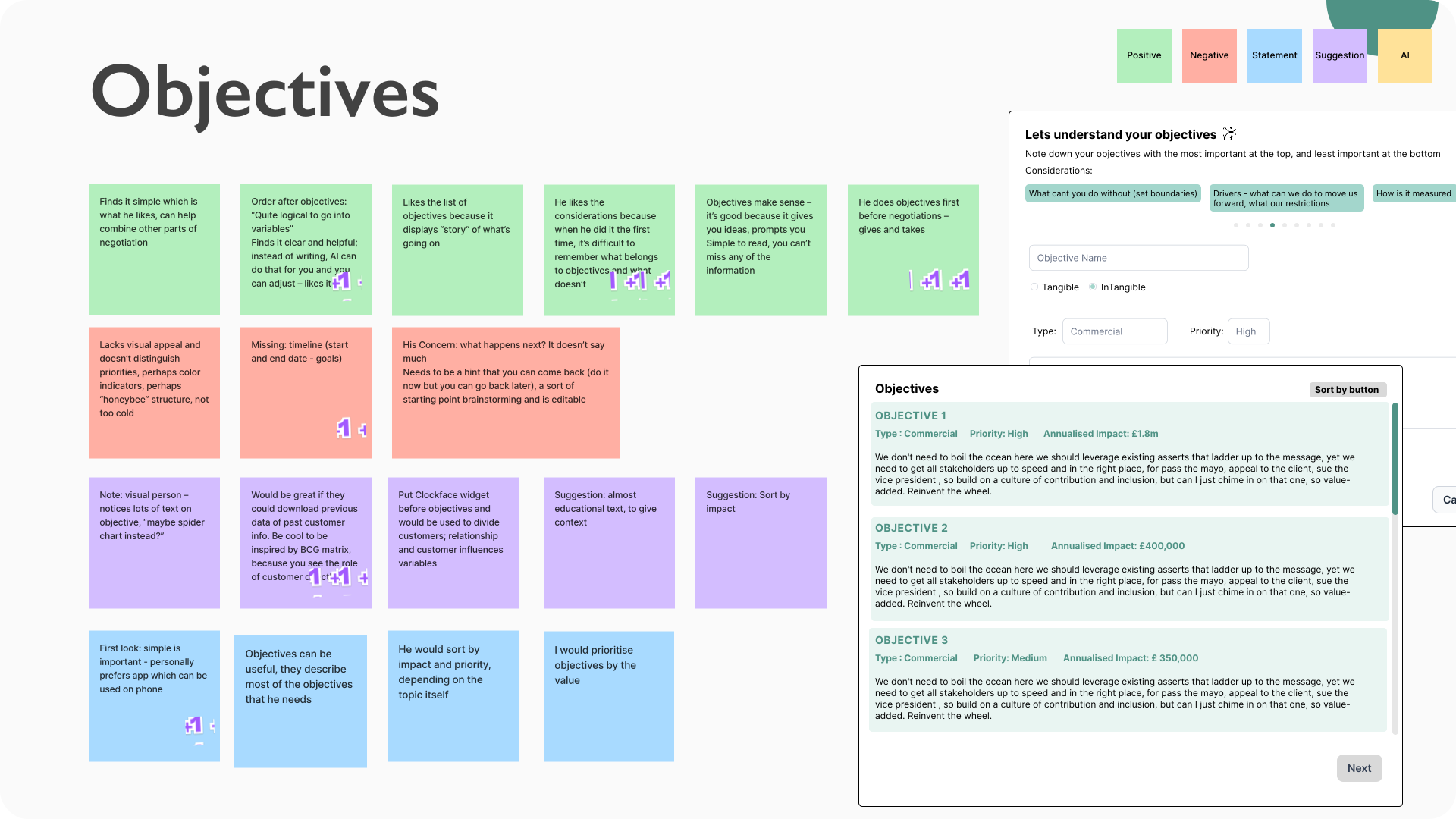
Definition
Workspace requirements
- Be able to add tools to the workspace
- Have a minimised and active view of the tools
- Be able to come back where the user left off
- Able to use tools in any order
- Understanding of tool order
- Having to ‘complete’ one tool before progressing to another
- Progress indicators making the user feel rushed
- Fixed dashboard-style design
- Hidden tools
- Not being able to upload third-party documents
Ideation · AI-assisted
Rapid concept creation
From here I linked our ‘basic’ design system and uploaded the requirements document to Claude.
I fed it the prompt alongside my running hypotheses, existing designs, rough drawings and any other context I had, to generate variations directly in Figma.
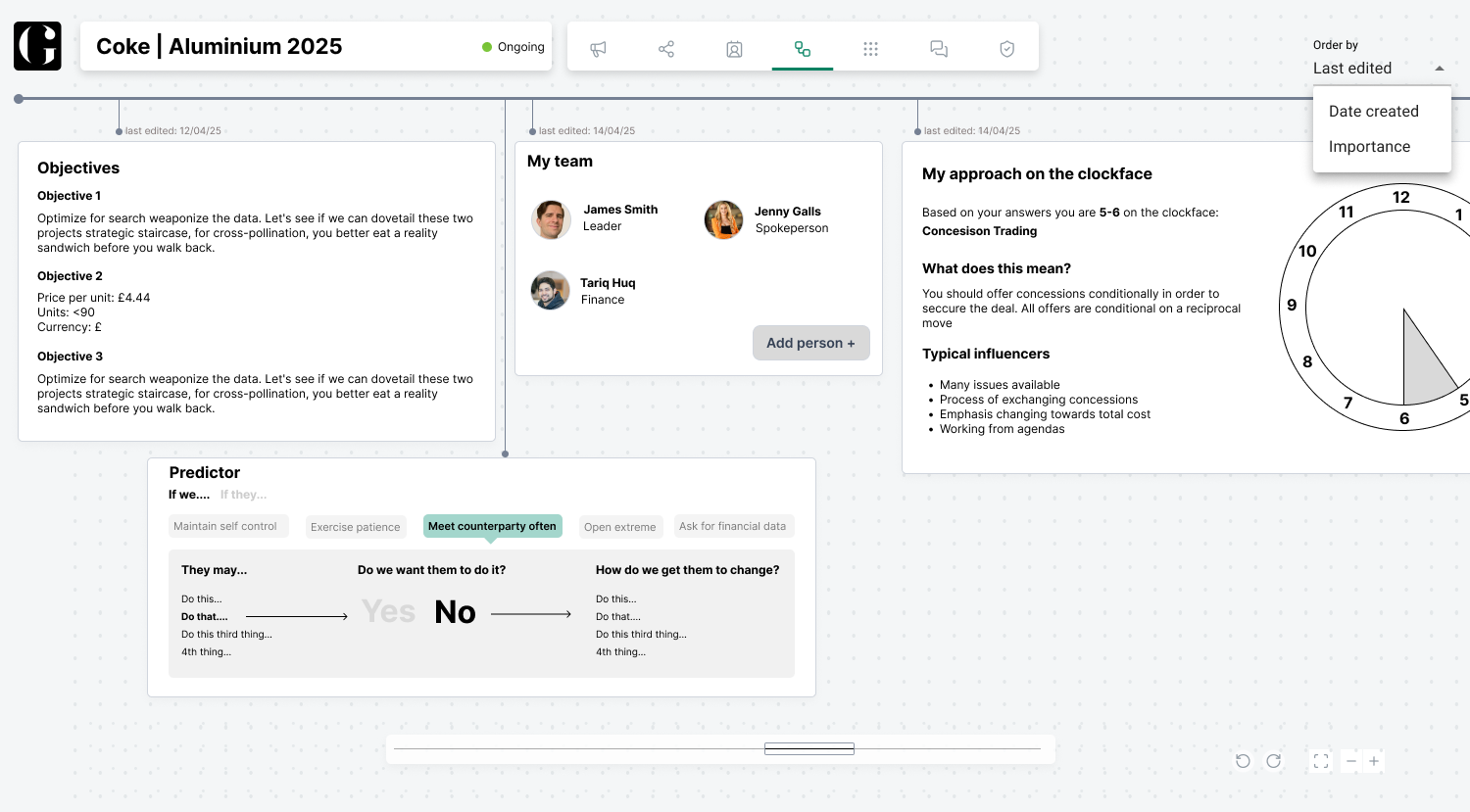
Users add notes and tools along a timeline, and can reorder it for greater control.
- Quick to assess the current position in the negotiation
- Easy to understand the concept
- Obvious which tools were which
- Can quickly and efficiently digest the information
- Very linear: can only go back and forward
- Hard to tell the current state of the negotiation
- Can only edit once a tool is expanded
- Not many tools can be shown at one time
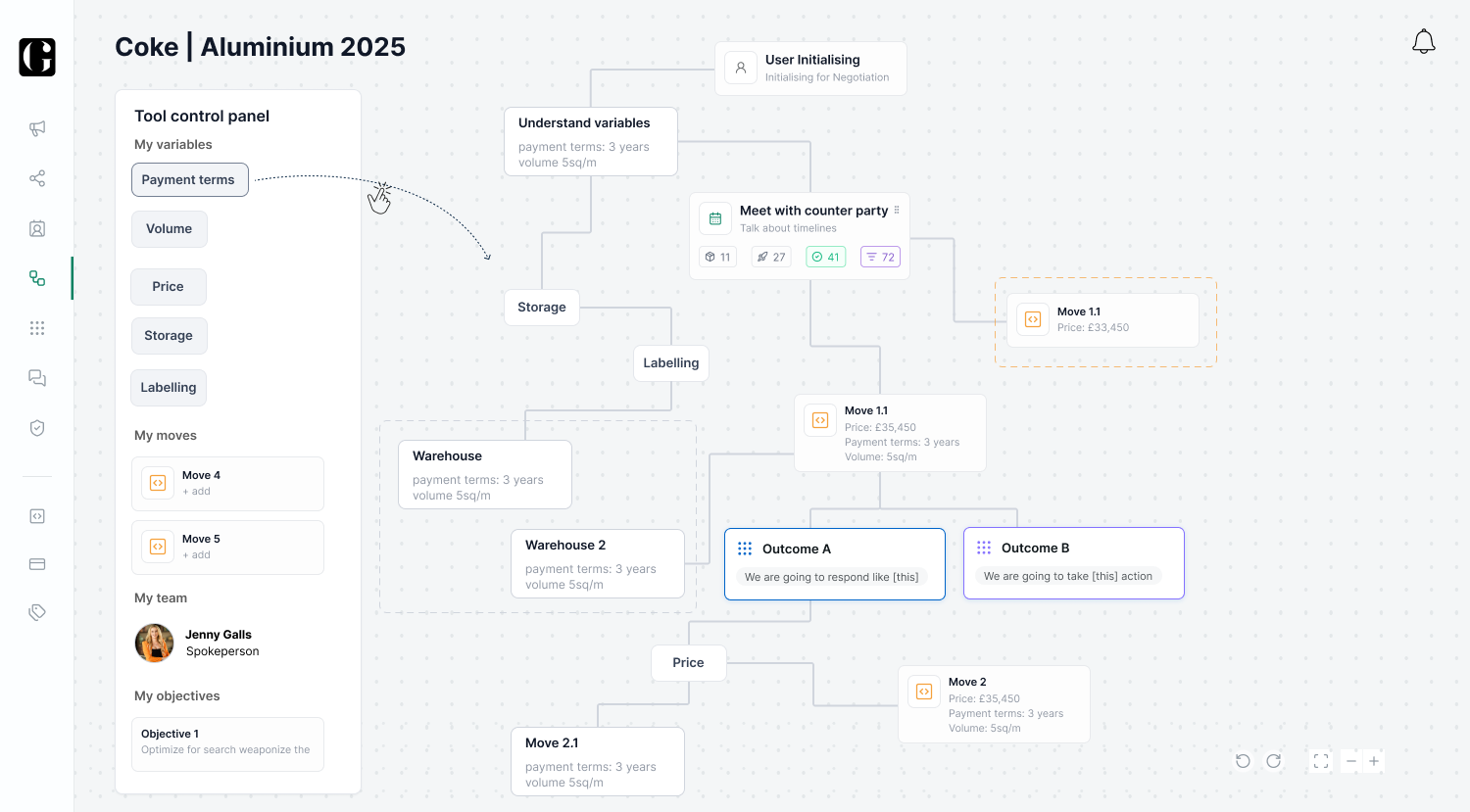
Users build out their negotiation plan in any direction and drag in tools as they see fit.
- Can dive right into making changes
- Likes the feeling of being in control
- Feels very intuitive
- Easy to see how this concept can grow
- Overwhelming at first glance
- Hard to tell if they were on track
- Hard to tell which tool is which
- Concerns about how big the tree can get
Feedback showed we were on the right path with concept B. What it still needed was a way for users to come back at any point, dive in where they left off, and understand the state of their negotiation.
- 70–80%of their time is spent in the negotiation circle once variables are set up
The negotiation circle
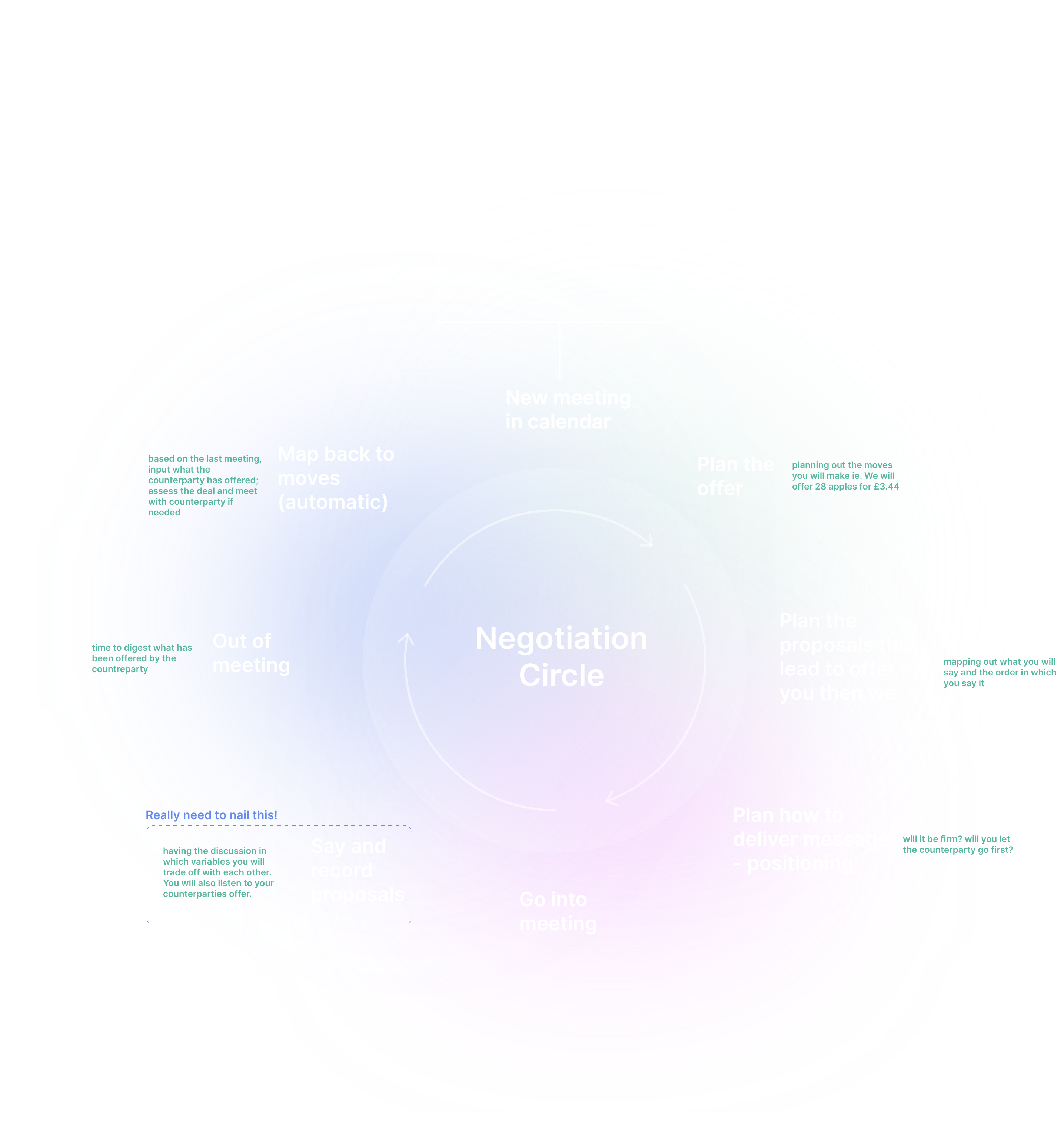
What is the negotiation circle?
It’s where users add numbers to variables, create offers, set opening and closing amounts and build out the meeting planner.
The circle reflects the multiple rounds of offers and proposals users go through with their counterparty. Letting them come in anywhere and pick up where they left off is key to bringing them back to the app.
Users told me it should be as easy as possible, so the app feels like it’s doing the heavy lifting. Negotiations are normally face to face without technology, so entering data had to be simple and quick, even in a tense environment.
Concept
The inception of the whiteboard
This concept came from pen and paper. On the course I noted down my thoughts in clusters on a piece of paper, in no particular order, as a brain dump of my planning. I replicated this in a prototype and tweaked it until users could interact with the tools however they wished.
Once the concept had the green light, we focused on building out the tools. You can read about that in Updating the tools.
Iteration · Sidebar
Making sure the user is in control
One of the biggest challenges was how users control the tools and the complexity of the workspace. I ran a workshop, then focused on the sidebar. These are the first iterations we tested with users.
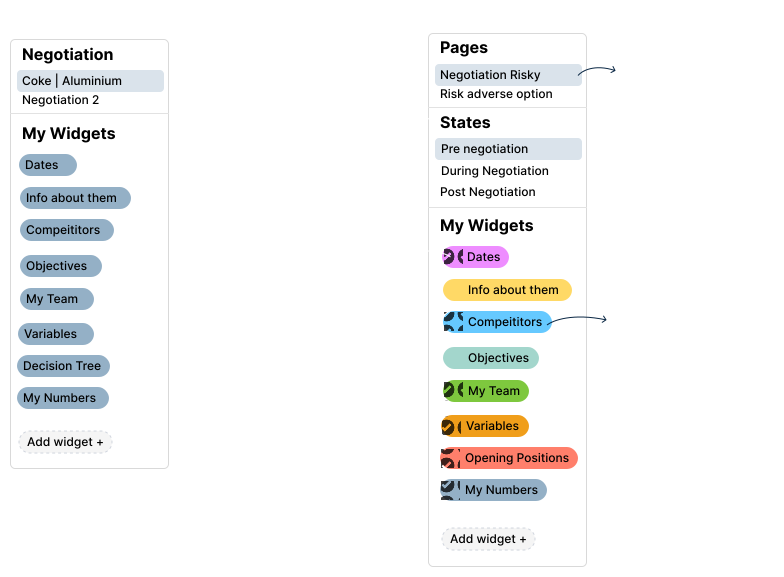
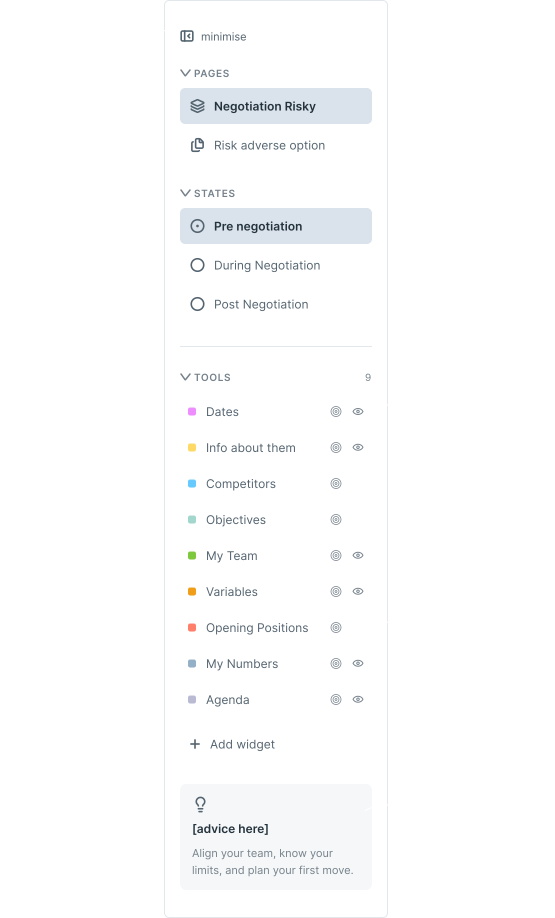
After iteration 2, I cleaned up the UI and turned it into a reusable component with variables. This allowed rapid iteration and a more consistent look within its environment.
Users can ‘hotspot’ a tool of their choosing, as well as hide a tool.
Outcome
A fully functional, scalable workspace
Other challenges faced