The GAP Partnership · Updating the tools
Turning pen, paper and handshakes into digital tools
- Discovery
- Research
- Ideation
- Paywalls
The problem
Negotiation isn’t linear
There are many variables at play. Sometimes it’s one step back and two steps forward, or thinking completely outside the box.
- 01Negotiators sometimes lose track of their planning when something changes
- 02Deals happen face to face, and bringing in tech too often, or at the wrong moment, can lead to no deal
- 03With so much happening at once, it’s hard to find somewhere to quickly look back at notes
- 04Knowing where to start researching a new counterparty can be daunting
The challenge · Roadmap and scope
Starting with 900 voices
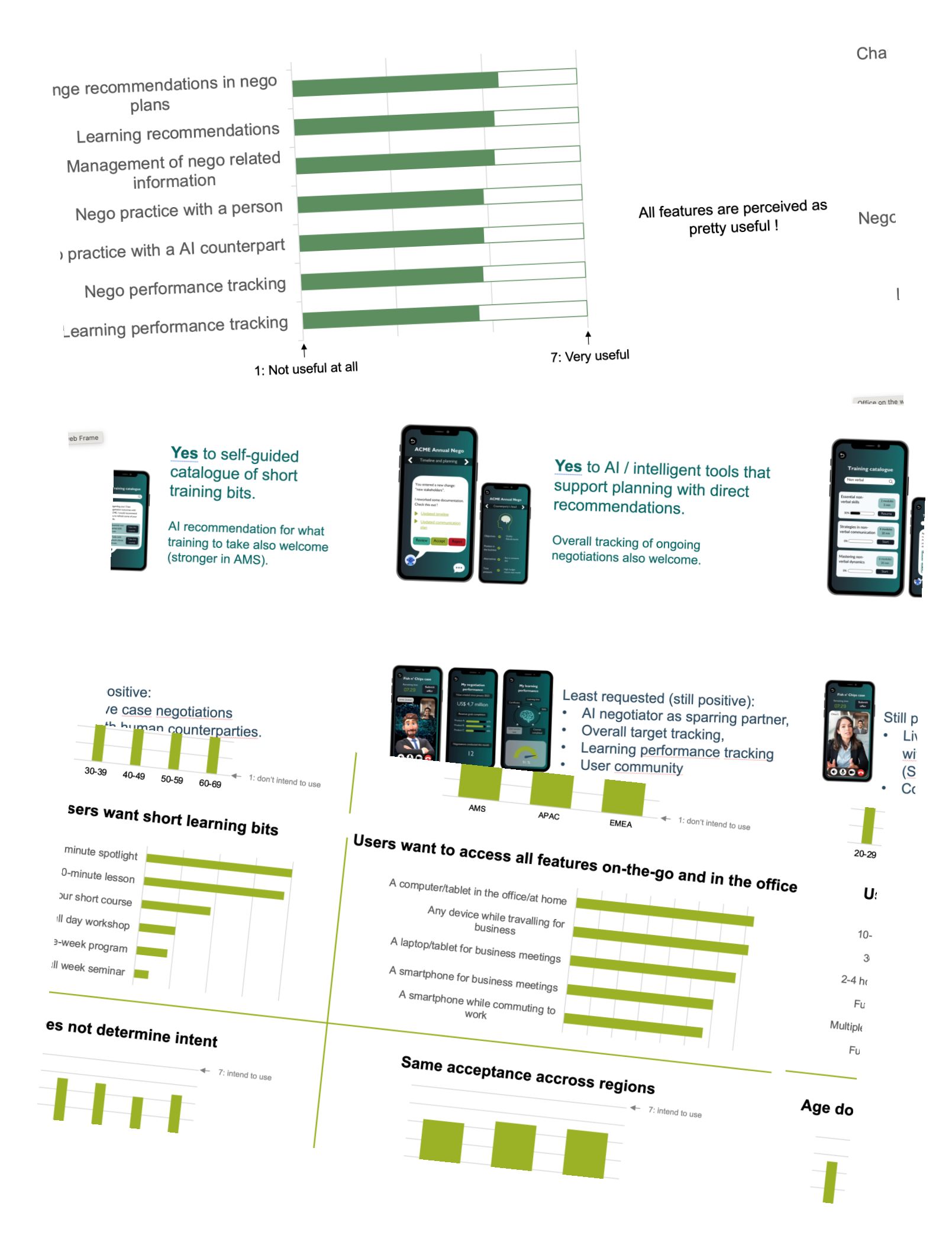
To kick off, we sent a questionnaire to 17,500 people who had been on a GAP Partnership course and received over 900 responses. We turned that data into insight to decide the direction of the new tool.
- 17,500past course attendees surveyed
- 900+responses
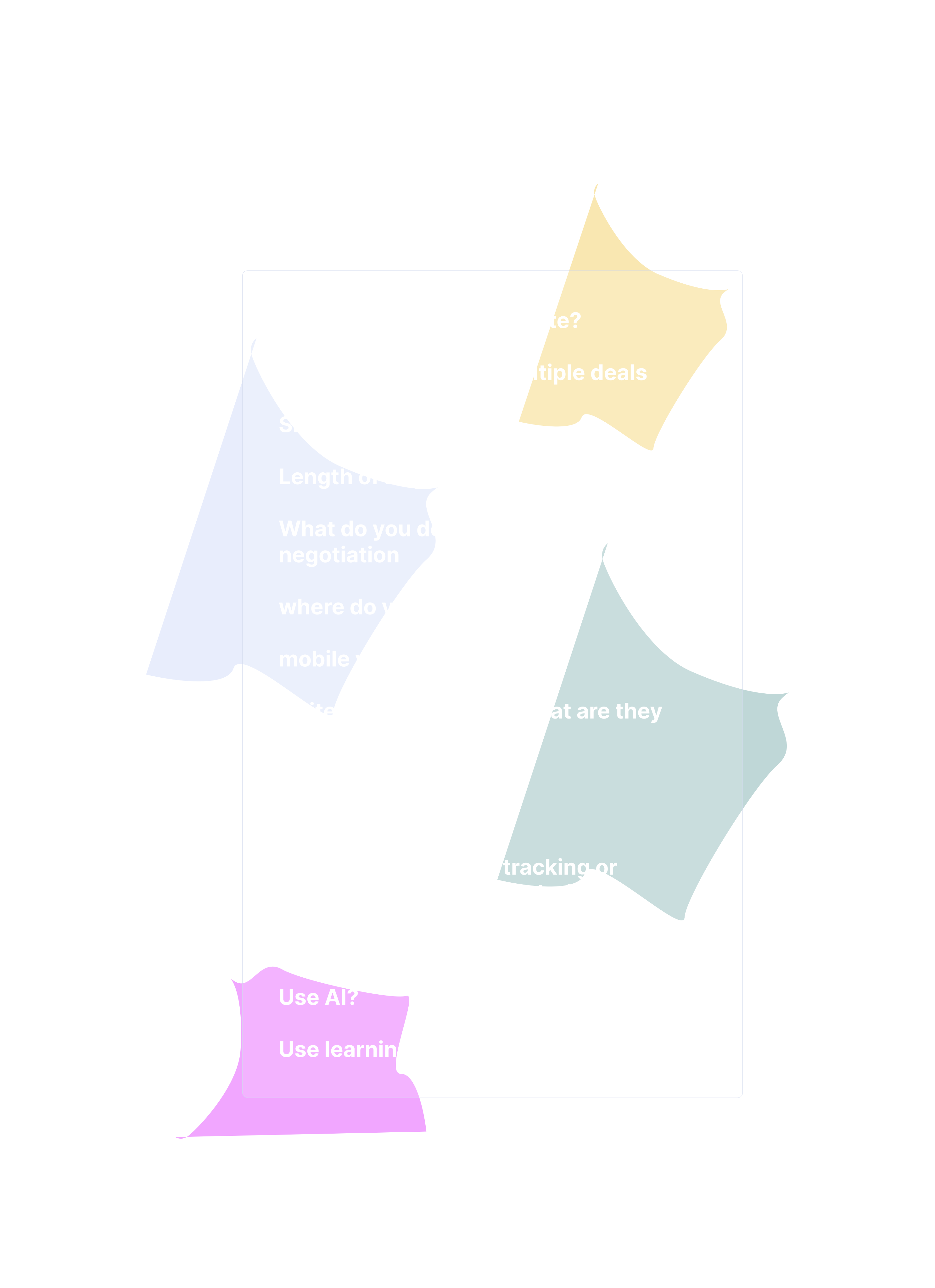
- Who are the likely users?
- What features would they like to see?
- A learning tool, a negotiation tool, or both?
- Which teachings does it incorporate?
- How often would they use it? Would it become essential or nice to have?
- Where does it fit into the negotiation process, and how much of it does the app cover?
- What drives them to pick it up and use it?
- Should AI be integrated?
My first step was to understand:
- What does this app do, and how does it differ from the previous tool?
- How much of the negotiation process does it cover?
- Where does it fit in the current product line-up?
- How can we learn from the previous failings?
I spoke to the Head of Innovation, the Head of App Development and the Director of Product to understand the scope and projected roadmap. We also looked at what the market offered and how the app could be presented to users.
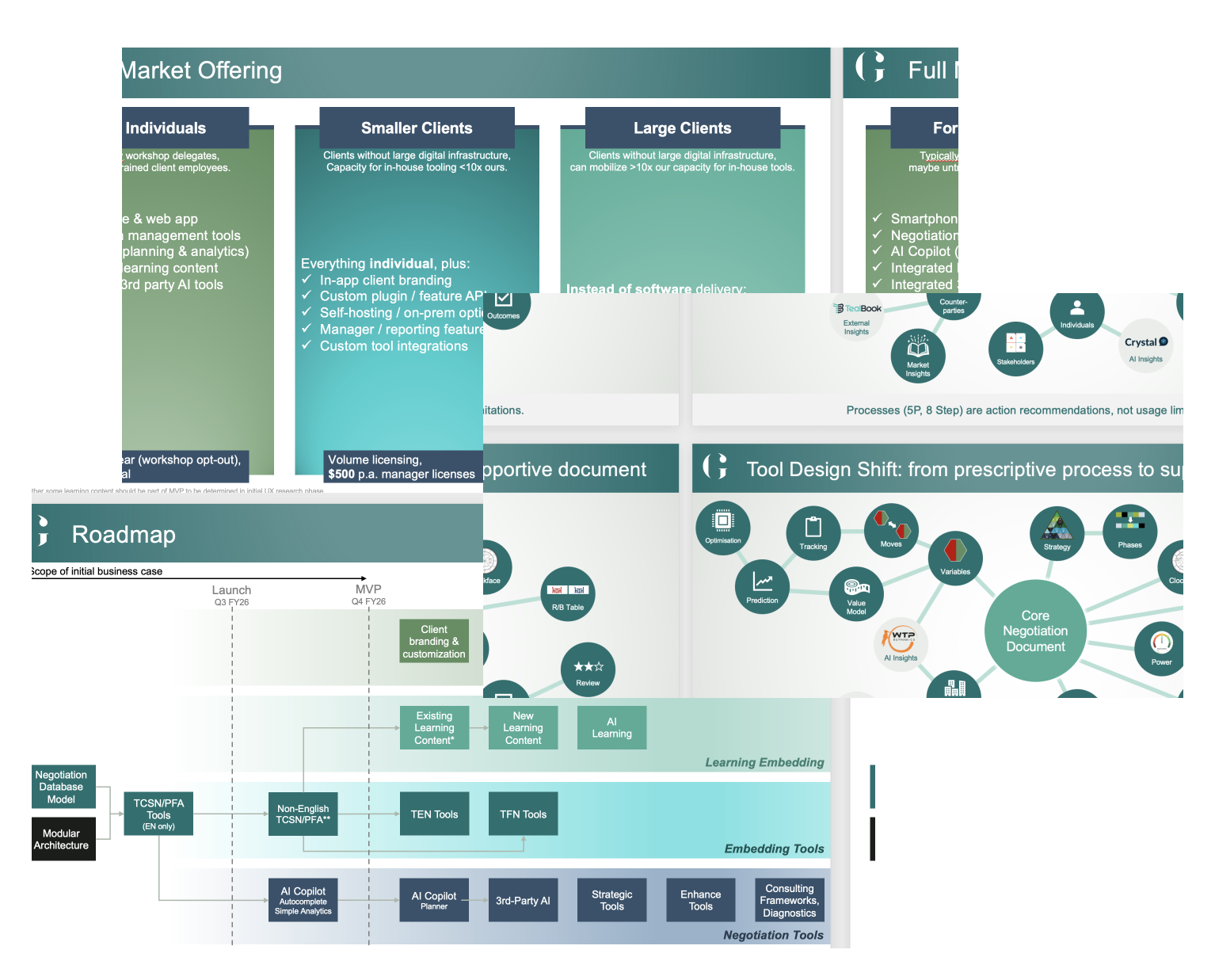
Initial discovery
What’s included in the new app?
We concluded the new app would cover the teachings of the TCSN course, including the GAP tools. There were a few reasons:
- The basic course would only have been a learning section: too simple, and hard to monetise with tiered paywalls.
- The PFA tools were too technical. People on that course prefer their own spreadsheets because it covers a lot of cost-base modelling, which would have been very hard to bring into the new tool.
I had to design a digital tool that works in a fast-paced, high-pressure environment that is typically run with pen, paper and handshakes.
I went on a four-day course, up against negotiators from around the world, learning and practising the principles taught by GAP. It showed me how users think, take notes and handle the pressured, competitive environment they work in, from bartering with a street vendor to a multi-billion-dollar deal lasting 10+ years.
Research · Interviews
Having conversations
I spoke to senior consultants at The GAP Partnership to understand the struggles users face after the course, and whether they adopted the learnings from the tool suite.
I also had 45-minute conversations with 12 people who had been on the course, to understand how they negotiate, what they learnt and which tools they used.
- 12course attendees interviewed
- 45 minper conversation
Mapping
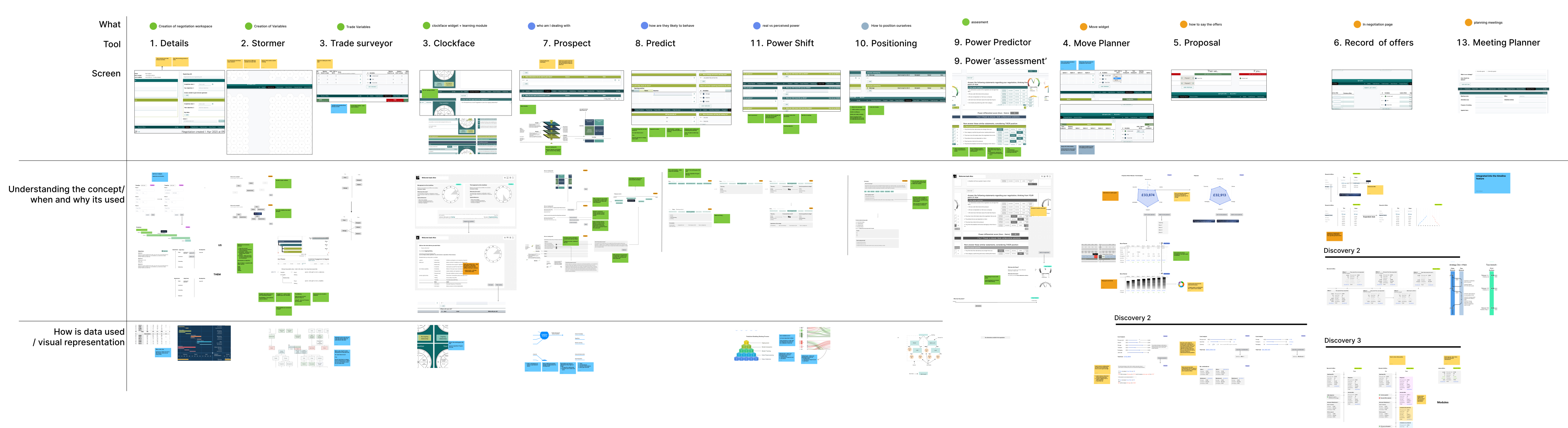
TCSN matrix
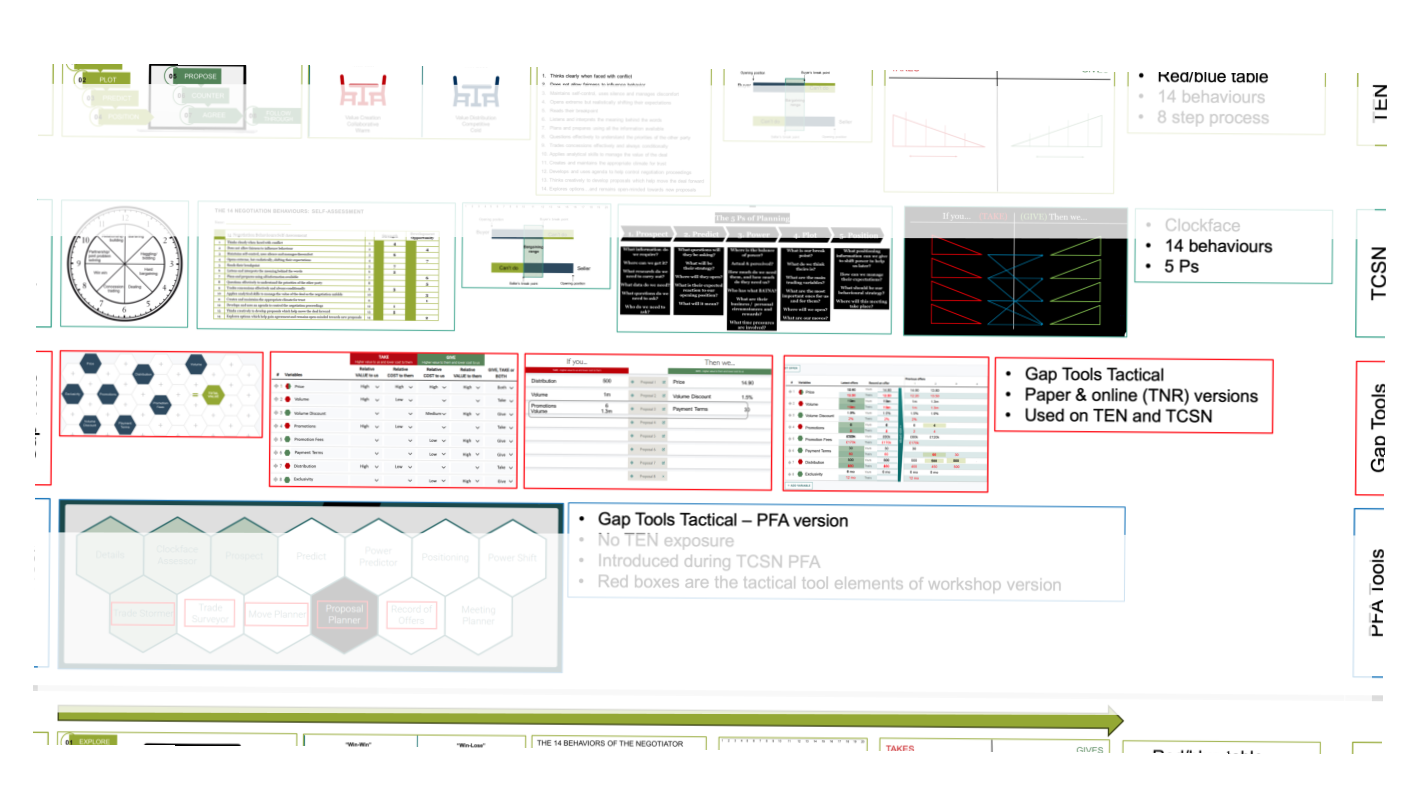
I mapped out the tools and spoke to their creators to understand the aim of each one, how it connects to the next, and what would and wouldn’t work from a UX perspective.
Service design
User interactivity blueprint
After a few weeks of learning the TCSN tool suite, I noticed no service user flow map existed. I mapped one out to understand when users used each tool, plus the entry and exit points.
I wanted to find missing gaps and opportunities, and whether each tool was vital.
The tool suite splits into four groups
- 01Negotiation preparation (blue)
- 02Numbers & variables (green)
- 03Behavioural & tactics (orange)
- 04Negotiating & recording (purple)
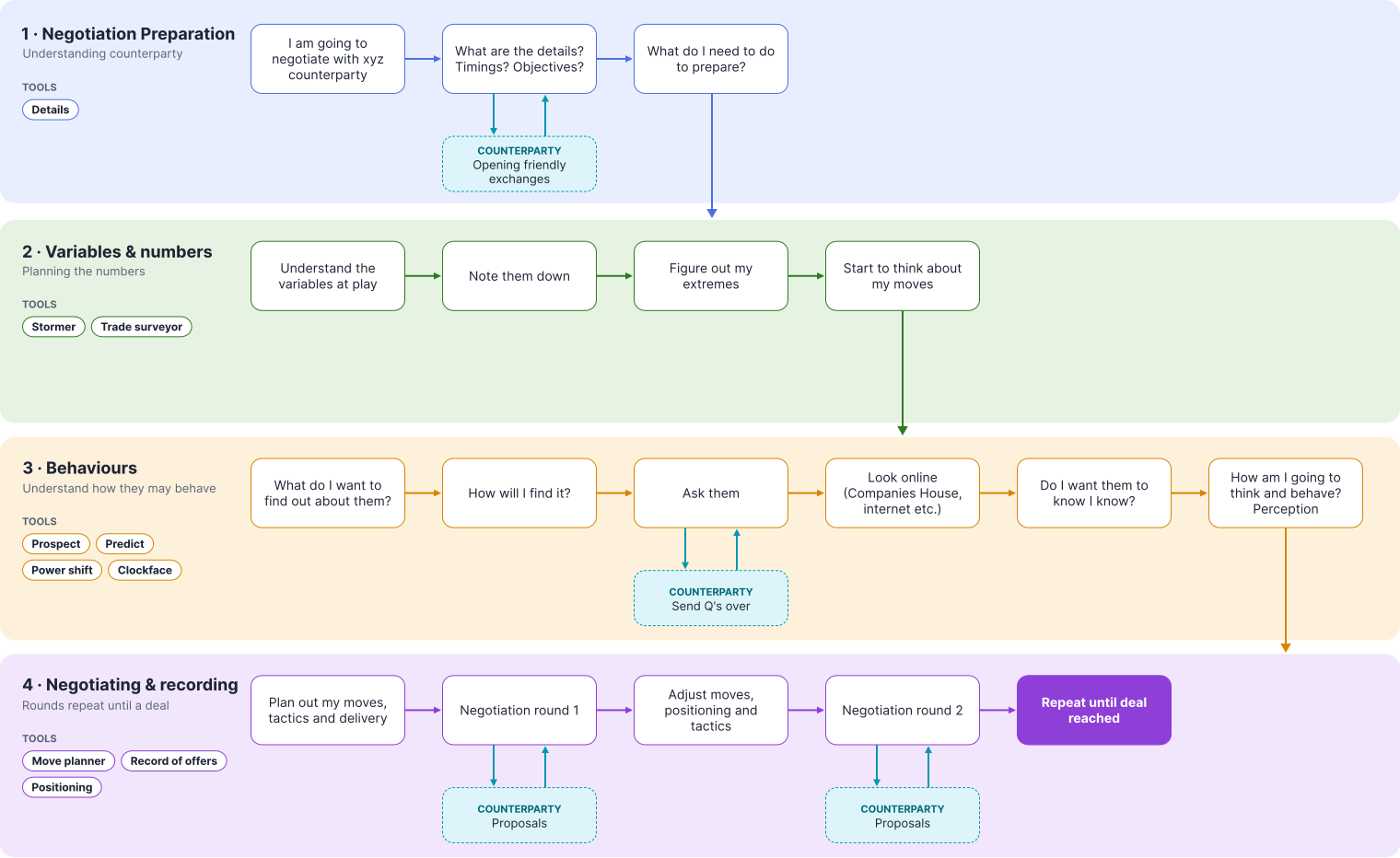
I could also see the percentage of users using each tool. We spoke to users about why they did or didn’t use certain tools, which gave us a starting point. Each tool was revised and went through a design iteration loop with feedback testing.
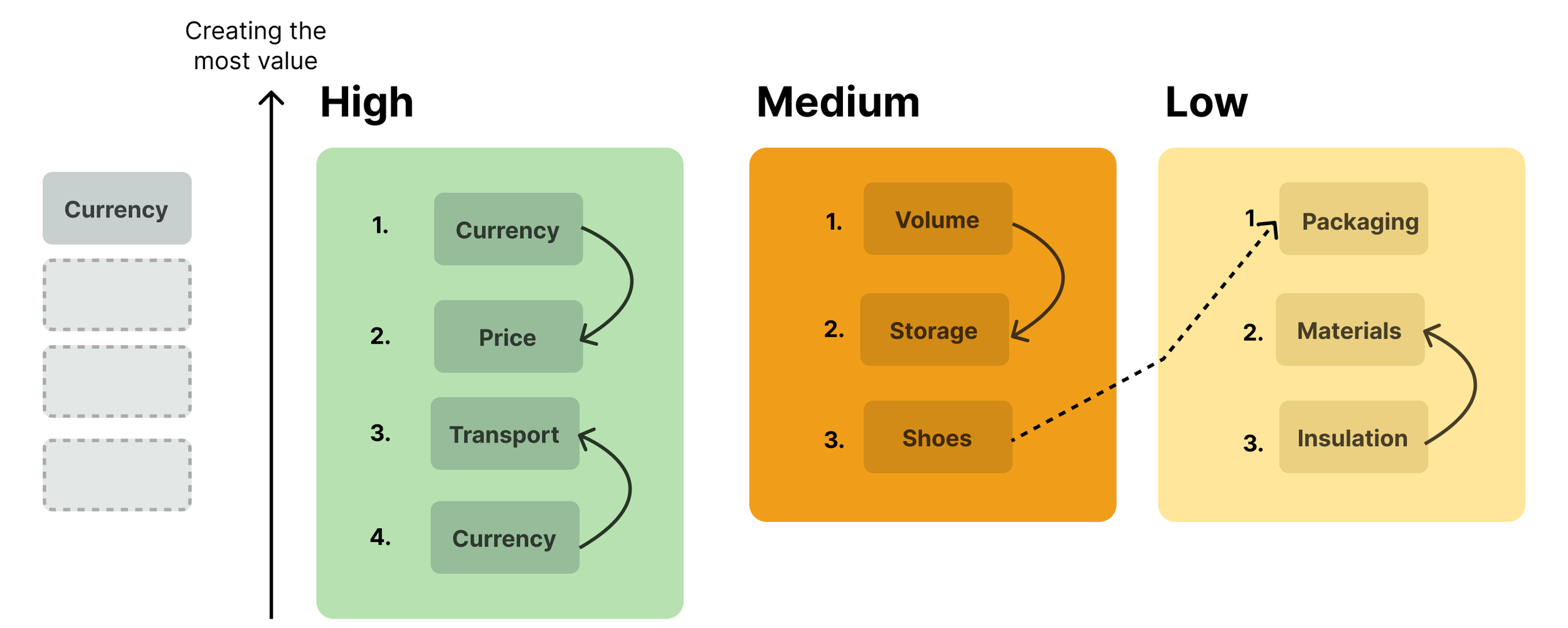
The Trade Surveyor was the first tool I tackled with a full redesign. It’s the first complex, data-heavy product in the TCSN line-up.
- Numbers & variables
- Behavioural & tactics
- Negotiating & recording
- Stormer, Numbers & variables 99%
- Clockface, Behavioural & tactics 97%
- Trade surveyor, Numbers & variables 97%
- Move planner, Negotiating & recording 95%
- Record of offers, Negotiating & recording 91%
Redesign · Trade Surveyor
The Trade Surveyor
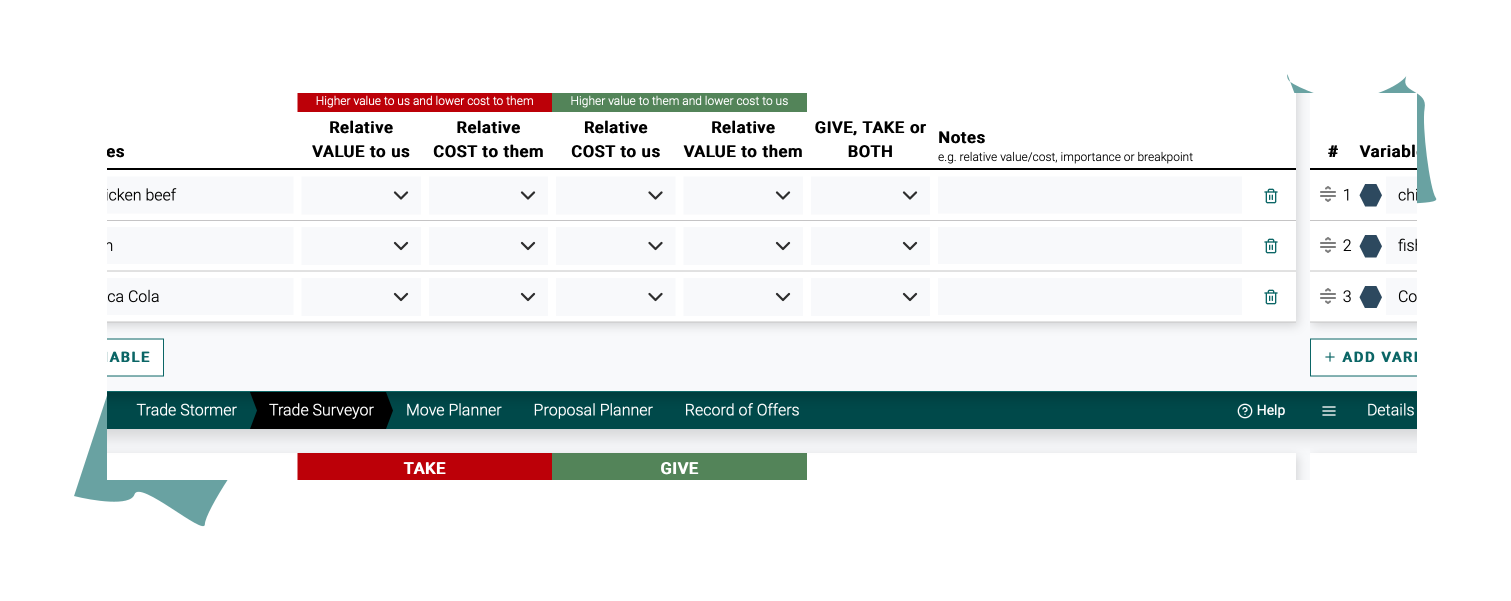
Its goal is to create trades from variables, such as price, to plan out moves. Variables tend to be tangible, with a measurable value such as money or length.
The user clicks into each cell and selects high, medium or low, repeats this three more times, then chooses give, take or both. With up to 50 variables it was repetitive and time-consuming, and errors crept in.
Takeaways
What works, and what doesn’t
- Easy to scan because of the table format
- Can spot patterns
- Very valuable once filled out
- Visually very heavy
- Time-consuming to fill out
- Hard to tell whether it’s a good trade or not
- Can’t see trades until the next screen
Ideation
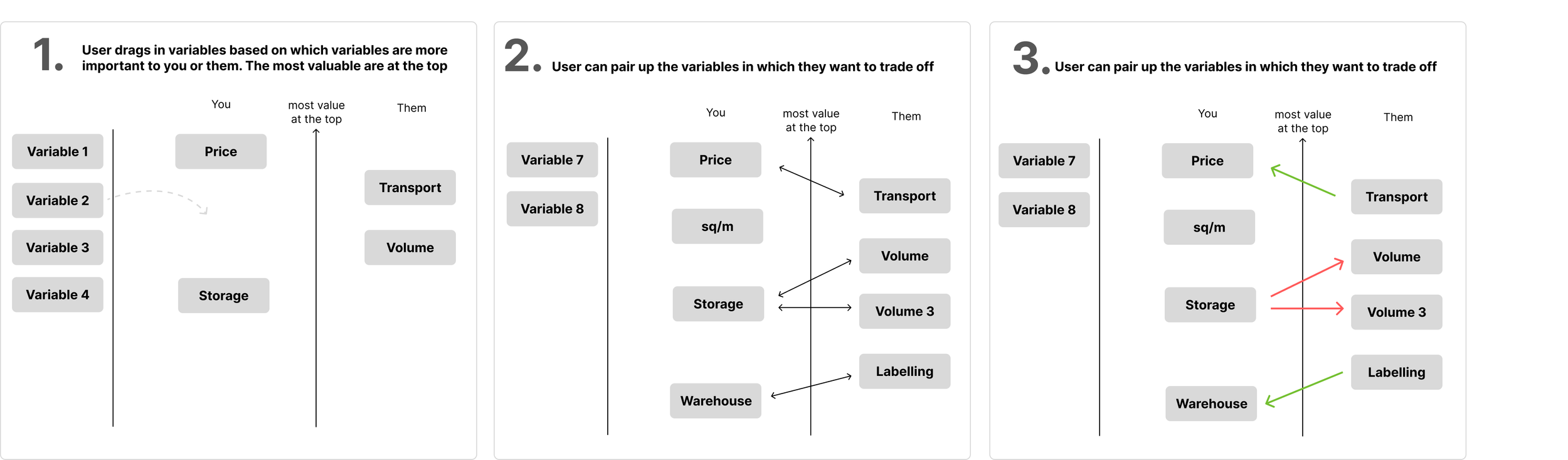
1st ideation
Feedback
What users liked, and what they didn’t
- Control over the variables
- Can easily put them in order of most valuable
- Easy to see what is being traded with what
- The ranking area could get very long
- Could get messy with lots of cross-connections
2nd ideation
Stress testing
Making it flow from tool to tool
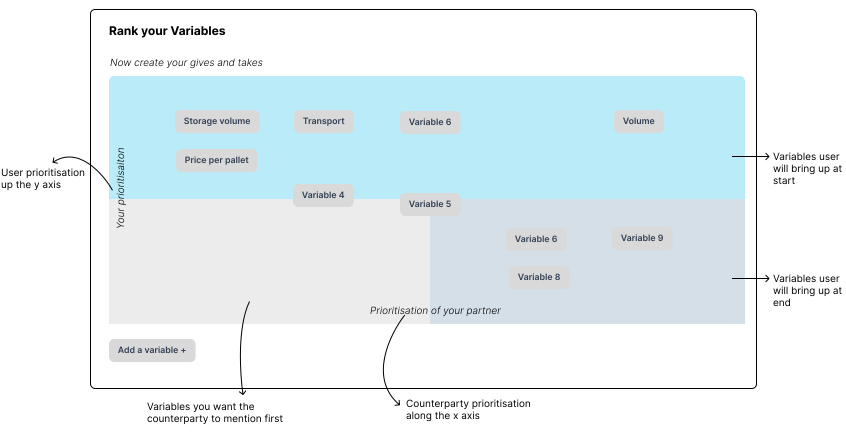
Based on feedback, we pushed the design further so users could put variables into buckets. This used the full width of the screen, stopped the variable area running off the bottom, and kept things manageable for people with many variables.
When we stress-tested it as part of a wider prototype, I noticed it didn’t flow from the previous tool, where users noted down their variables freely. I wanted to carry that free interaction into the Trade Stormer so it felt seamless. The fewer changes from screen to screen, the more in control the user feels, and that reflects in their negotiation.
- 85%of users picked up on the importance of the x axis
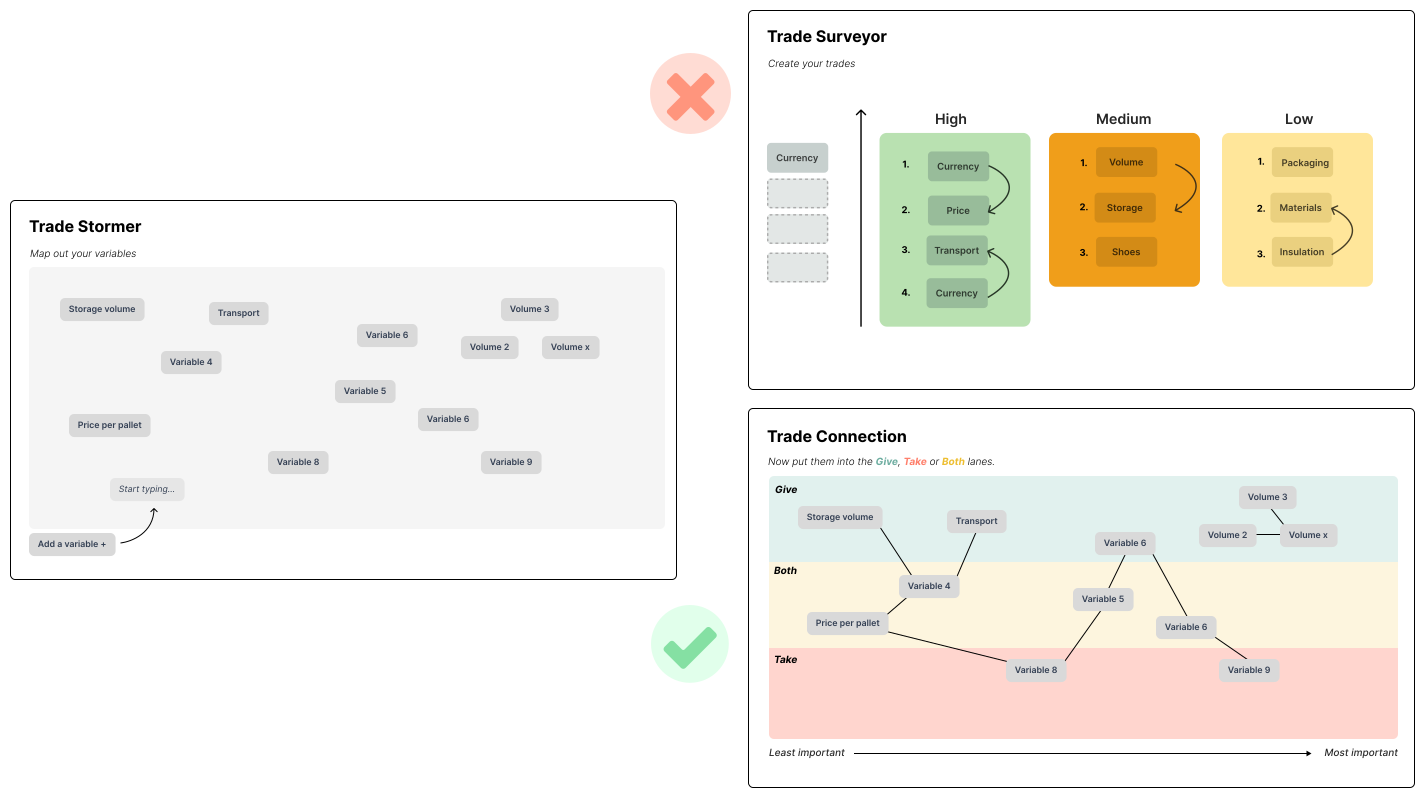
Taking inspiration from a previous project, I created three swim lanes for Give, Take and Both. The benefits:
- Users could create groups of variables, which the previous design couldn’t do
- They were much more likely to think about their trades
- Connections in any direction worked better, with no hesitancy because there were no ‘cross-bucket’ connections
The traffic-light colours don’t mean good, bad or neutral. They came from the IP and couldn’t be changed.
Introducing a time element
As we tested with new users, a common theme emerged: they wanted to use time and behaviour, as well as importance, to create connections. We gave users a second option with this in mind.
Meanwhile, The GAP Partnership acquired a company that had been exploring this exact route. After speaking with their consultants, we came up with the design below.
Further ideation
Nailing the concept
We had the concept: time, prioritisation and give/take. Now it was about putting it all together so it made sense to the user. We tested a few ideas, along with the wording, to find the winning design.
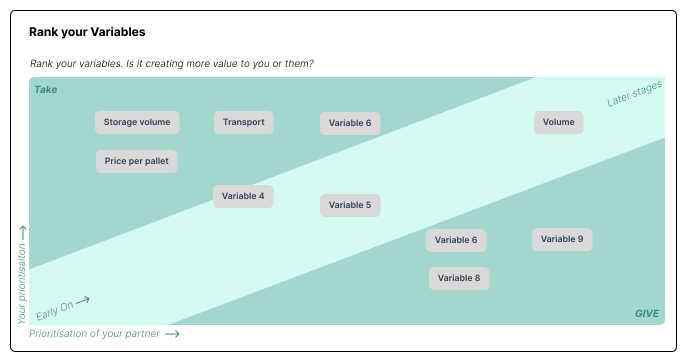
- Users liked the bottom left-hand corner as a clear starting point for time and prioritisation
- Give and take could be added without further confusion
- The upward angle gives a sense of power and movement in a positive direction
Shipping and paywalls
Trade Surveyor PLUS
As we started shipping, we looked at which features could sit behind paywalls. A week-long workshop with developers, consultants and the ops team produced a solution with multiple paid tiers.
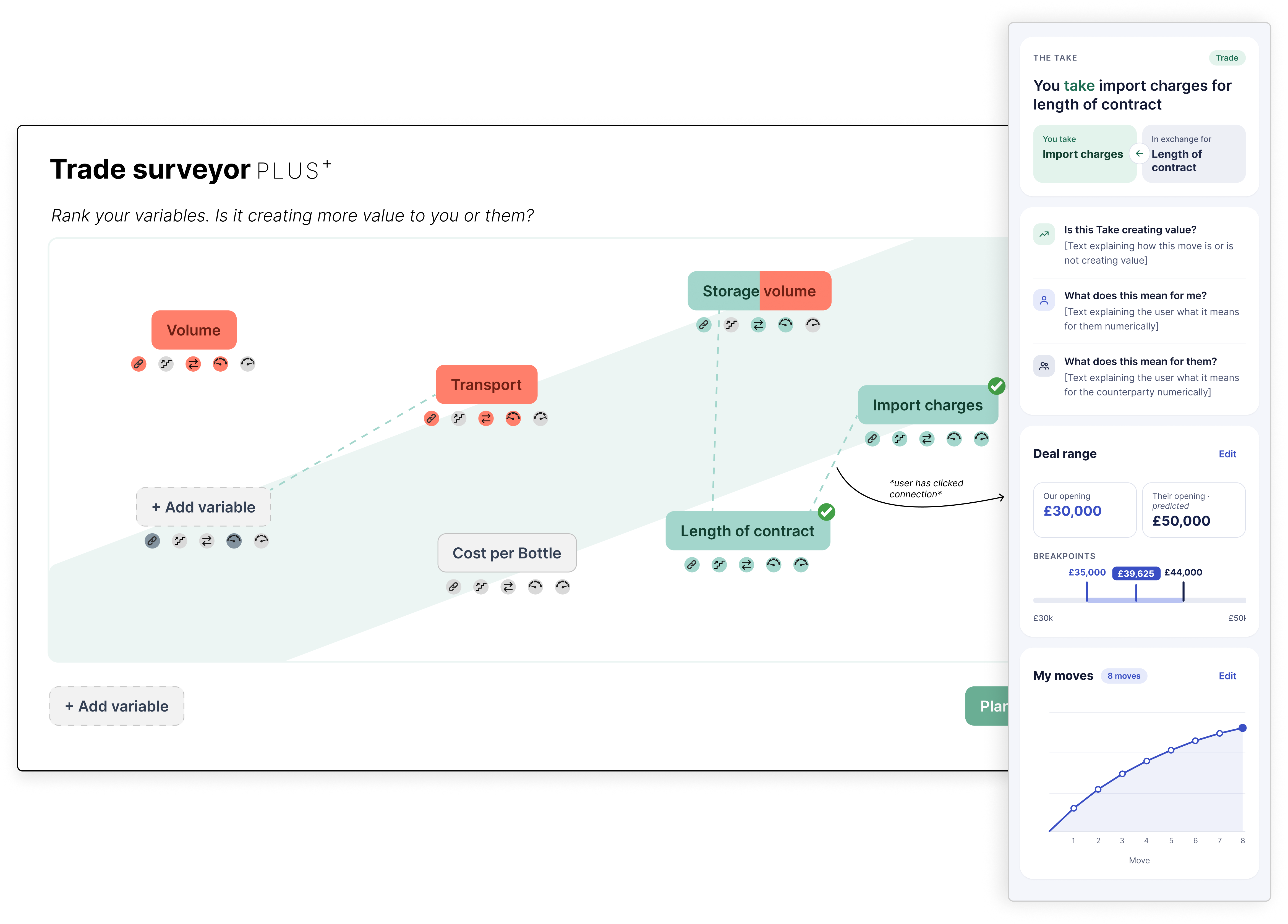
The top tier, Trade Surveyor PLUS, lets users check whether each variable is ‘complete’. They don’t have to fill everything in to continue, but doing so gives them the best visibility of how the negotiation may play out.
- ConnectionIs it connected to another variable to trade off with?
- MovesHas the user mapped out the moves for this variable?
- Give / TakeDoes the user know whether it’s a give or a take?
- OpeningHas an opening value been attached?
- BreakpointsThe minimum to avoid a loss, and the maximum to cover costs
Outcome
Shipped in three tiers
A scalable set of tools covering the TCSN course on both mobile and desktop.
Other challenges faced