Understanding the art of negotiation
The Problem
Negotiators sometimes lose the track of their negotiation planning when a change is happening.
Negotiation is not linear, there are many variables at play and its sometimes a case of having to go 1 step back then 2 steps forward or even thinking totally outside the box.
Negotiation is done face2face and thats where deals happen. Involving tech too often or at a wrong time in the negotiation can lead to no a deal.
Many things are happening at once so somewhere to go back and look at notes quickly is challenging.
Knowing where to start researching about a new counterparty can be a daunting task.
The Challenge
Roadmap and Scope
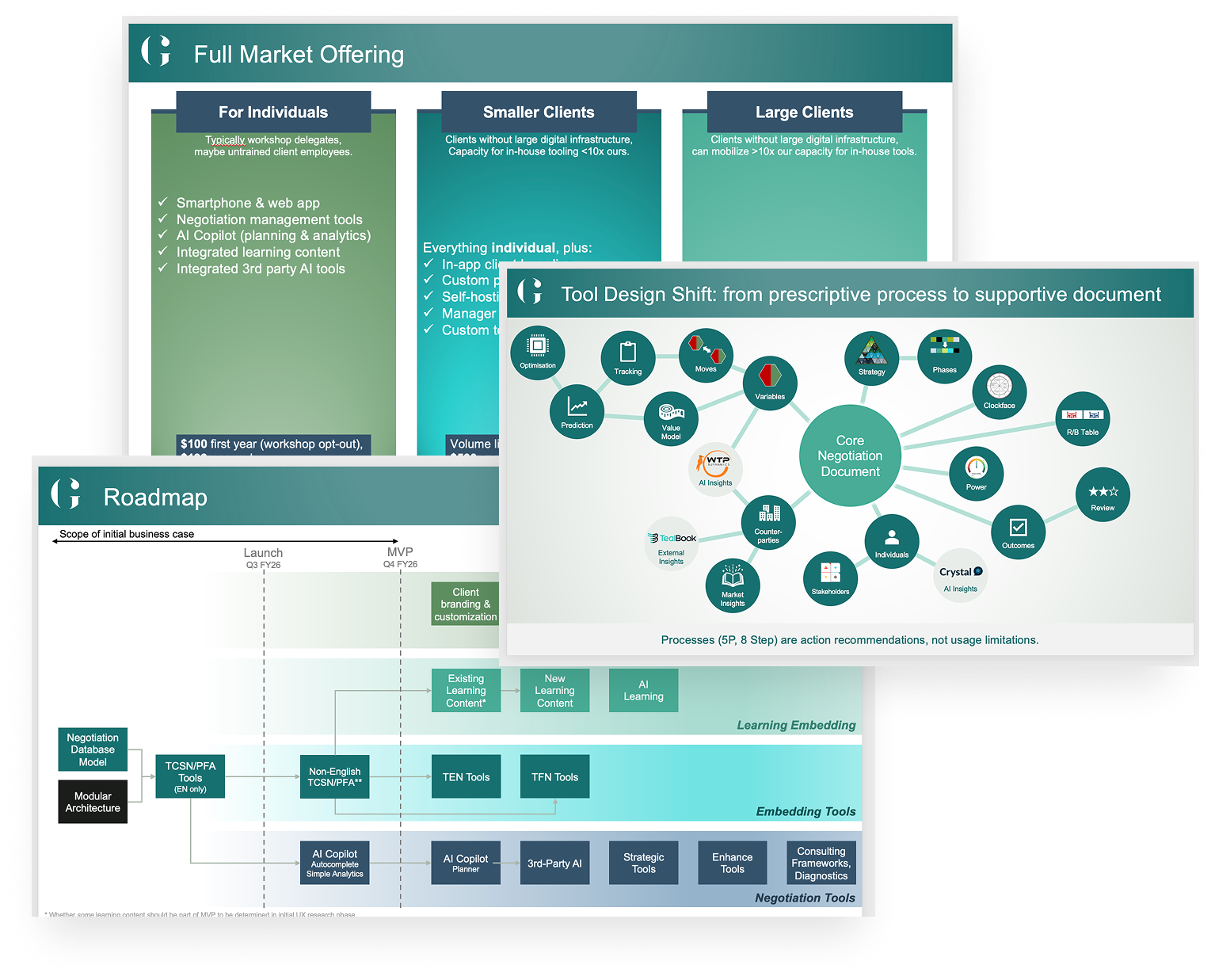
To kick off we sent out a questionnaire to 17,500 people who had previously been on a GAP Partnership course. We had over 900 responses. We collated this data into information to understand the direction in which we wanted to drive this new tool.
Who are the likely users?
What features would they like to see?
Learning educational tool?
Negotiation tool?
Both?
What teachings does it incorporate?
How often would they use it?
Would it become essential or nice to have?
Where do they see it integrate into the negotiation process?
How much of the app does it incorporate?
What drives them to pick it up and use it?
AI intergrated?
The first step was for me to understand the following points:
What does this app do? How does it differ to the previous tool?
How much of the negotiation process does it incorporate?
Where does it fit in with the current product lineup?
How can we learn from the previous failings?
I spoke to Head of Innovation, Head of App development and the Director of product to understand the scope and projected roadmap. We also looked at the market offering and how it could be presented to the users.
Initial Discovery
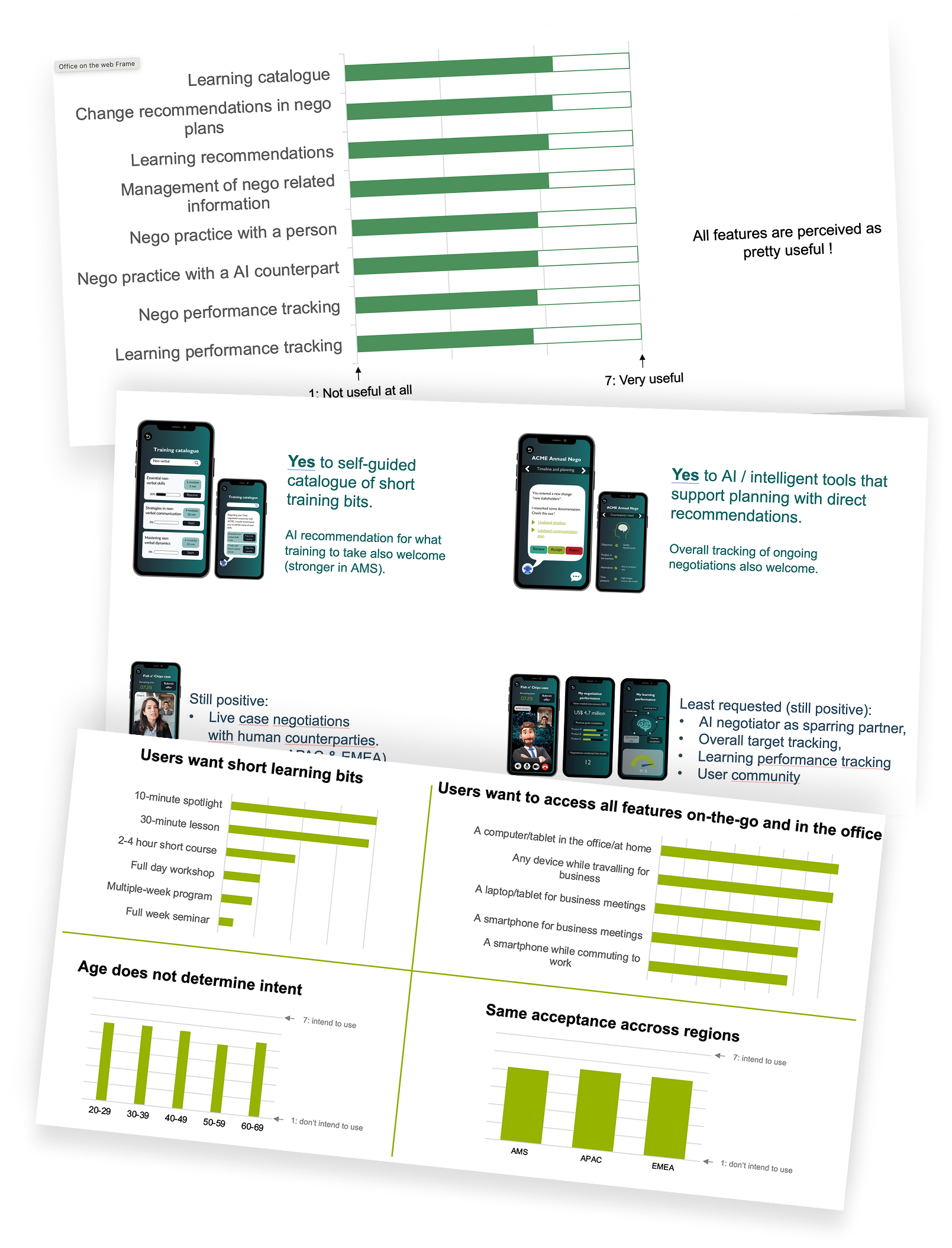
What’s included in the new app?
The conclusion was that this new app would cover teachings of TCSN course including the GAP tools. There were a few reasons for this.
The basic course would of just been a learning section i.e too simple and hard to monetise adding tiered paywalls
The PFA (tools) would of been too technical and the users who go on that course would prefer their own spreadsheets as this covers alot of cost base modelling which simply would of been very hard to integrate into the new tool.
I had to come up with a digital tool that works in a high fast paced environment that is typical been done with pen, paper and handshakes.
Learning the art of negotiation
I went on a 4 day course and was up against other negotiators from around the world learning and practicing the negotiation principles taught by GAP. This was my introduction to experience how users think, take notes and the pressured/competitive environment they are in. I learnt about the different approaches to negotiations and how to setup a negotiation. This covered from bartering with a street vendor to a multi billion dollar deal lasting 10+ years.
Having conversations
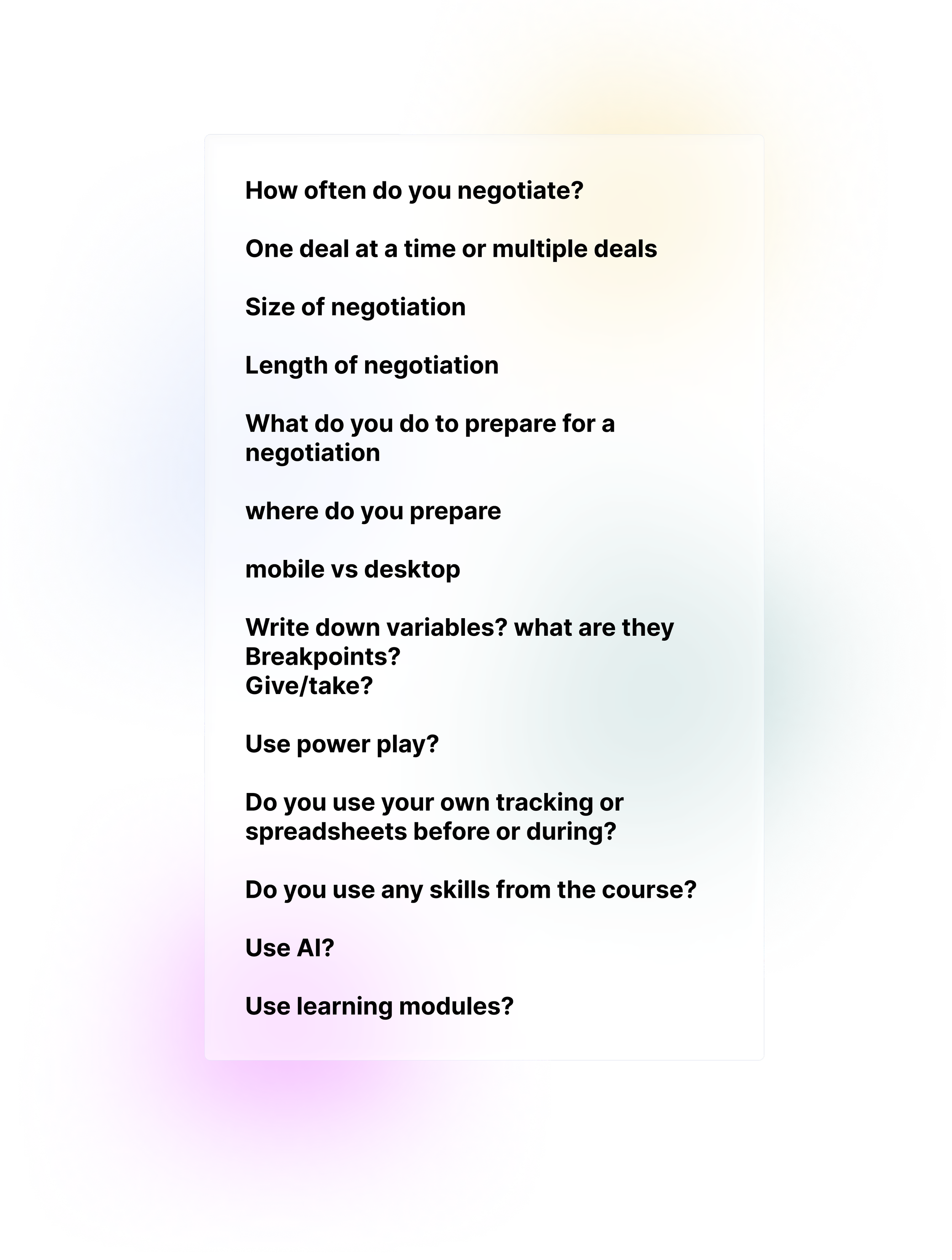
I spoke to senior consultants within the GAP partnership to understand the struggles users face post course and whether they adopted the learnings from the tool suite.
I also engaged with those who went on the course and had 45 minute conversations with 12 people. I wanted to understand their ways of negotiation, learnings from the course and the tools they used.
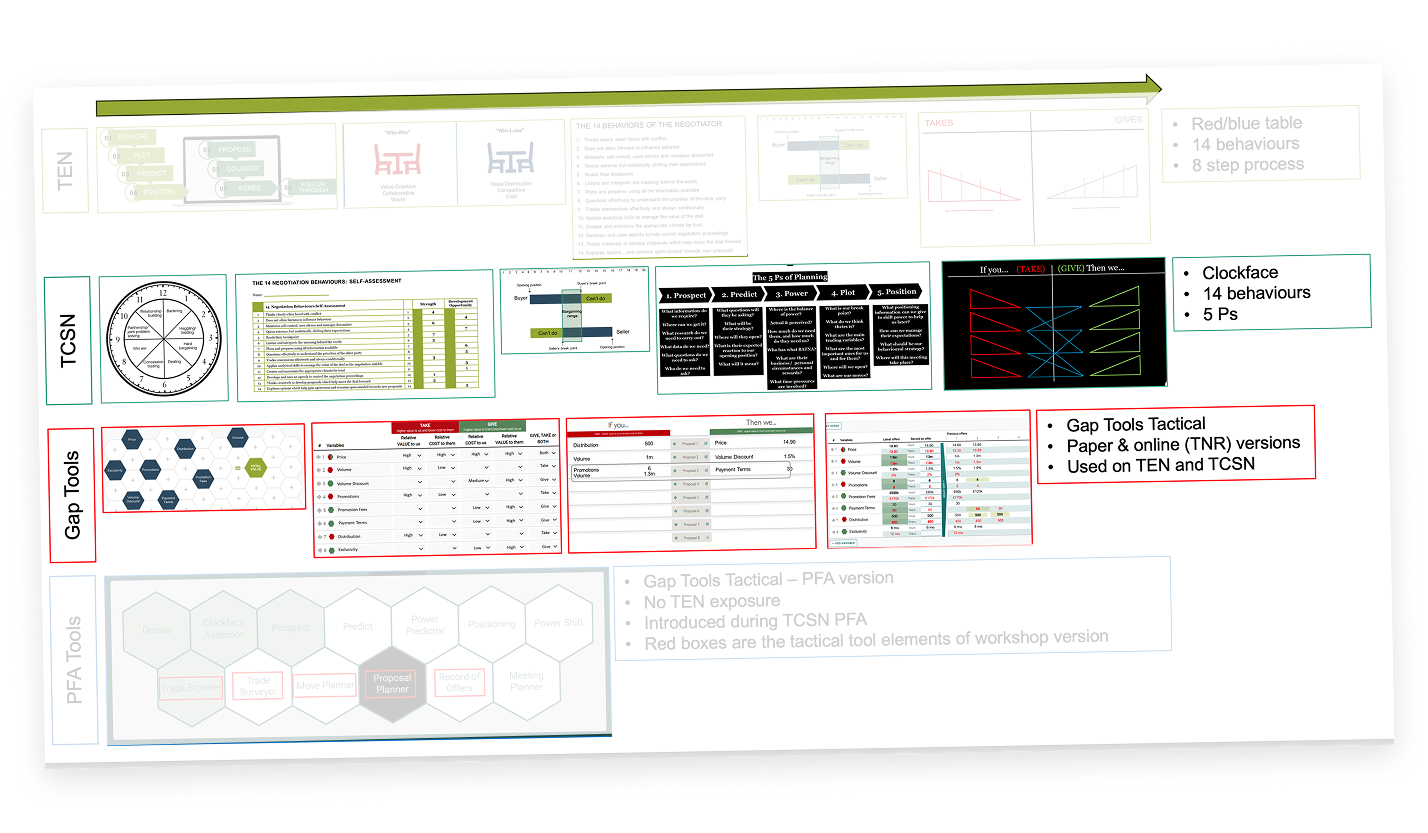
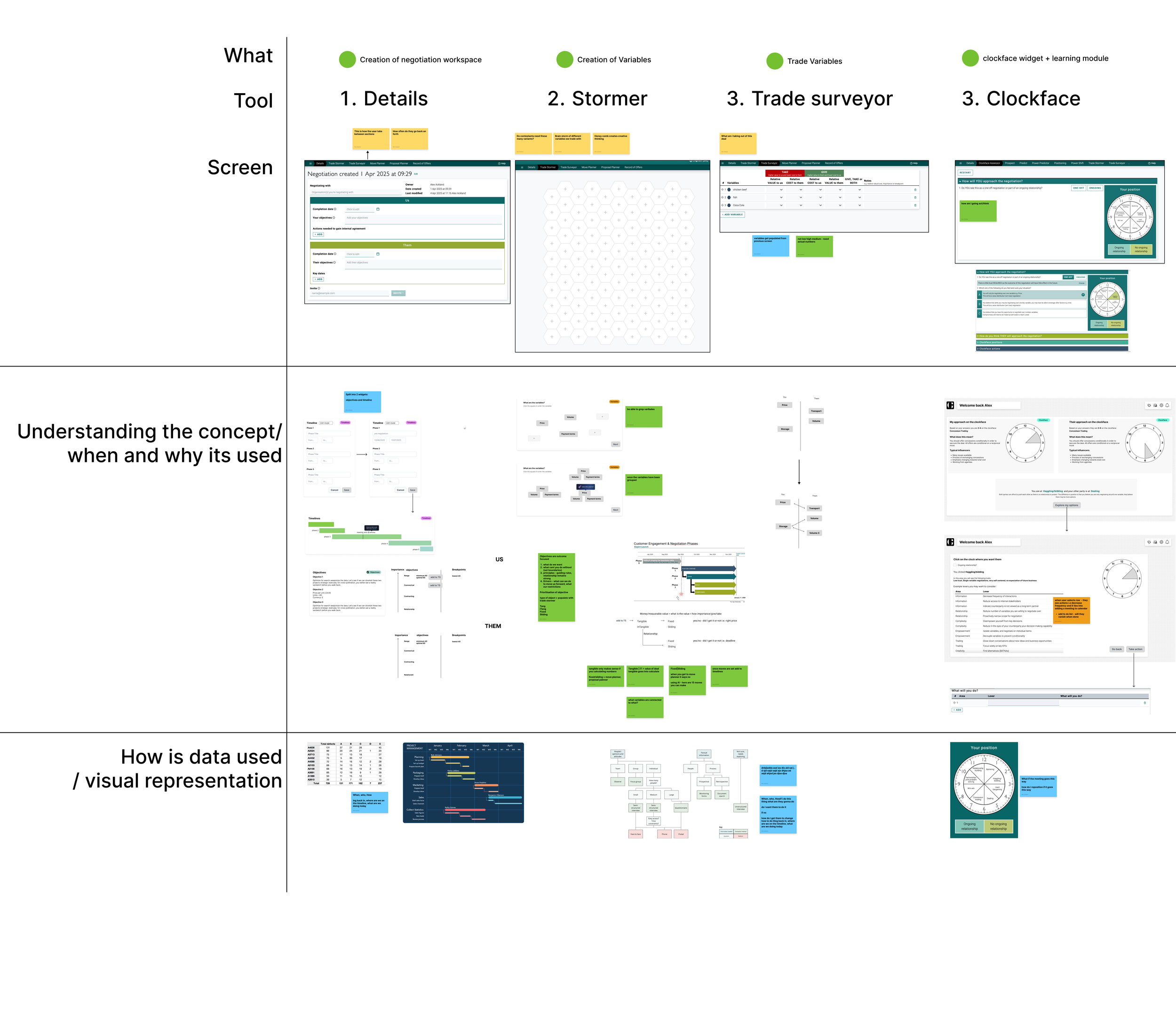
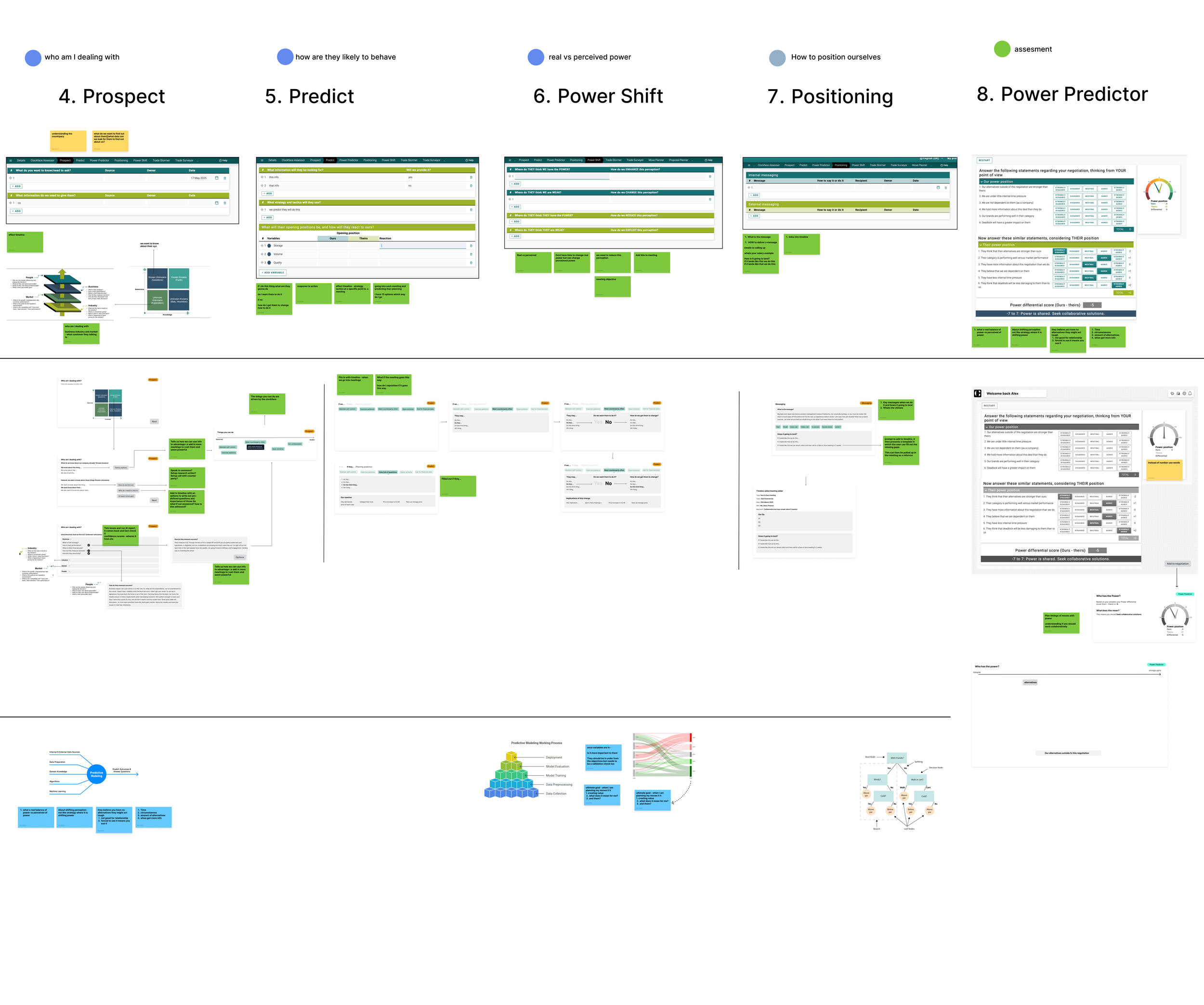
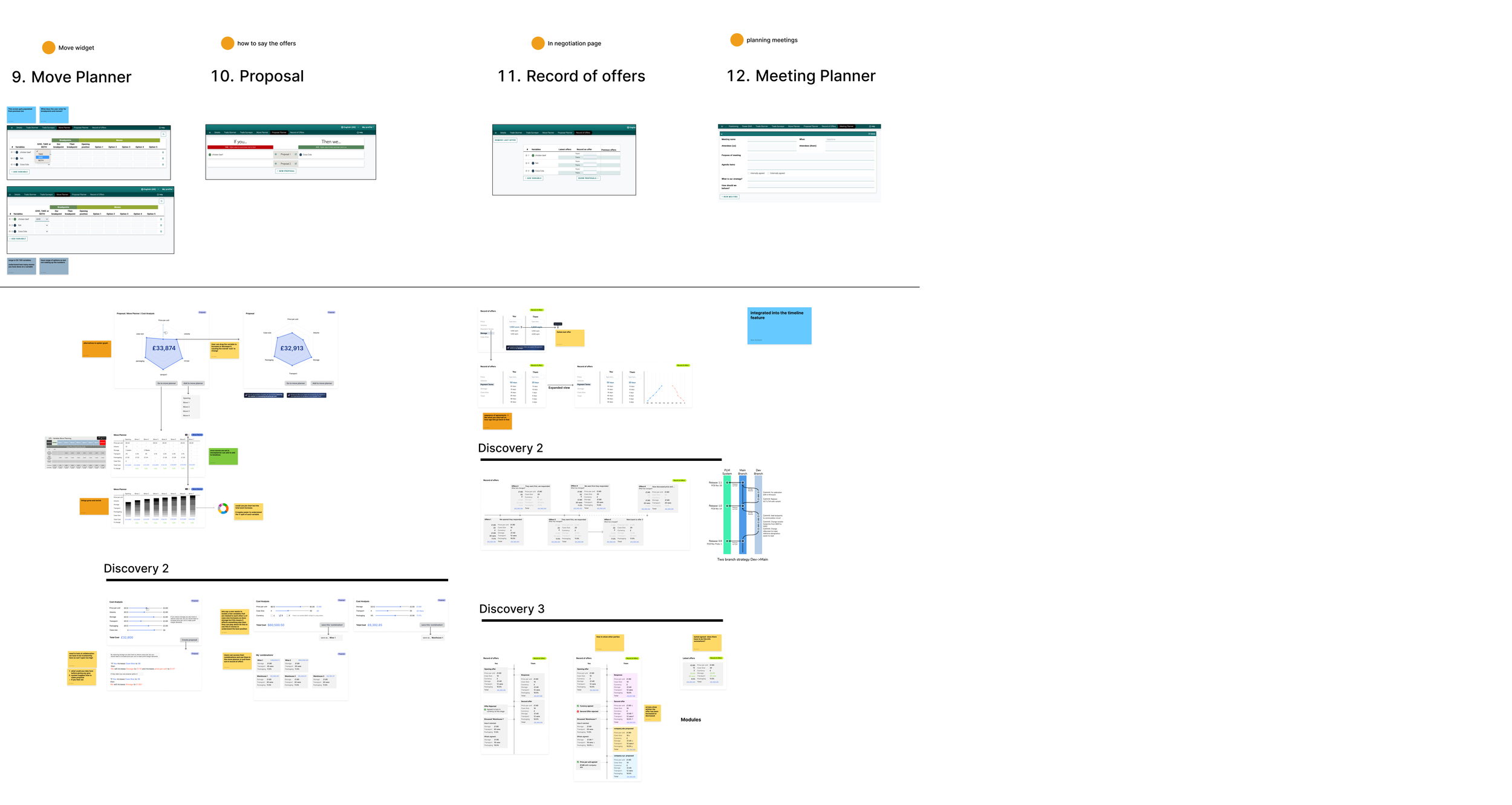
TCSN Matrix
I sat down and mapped out the tools. I spoke to the creators of the tools to understand the aim of each tool, how it interacts with the next and what works/what wouldn’t work from a UX perspective.
User Interactivity Blueprint
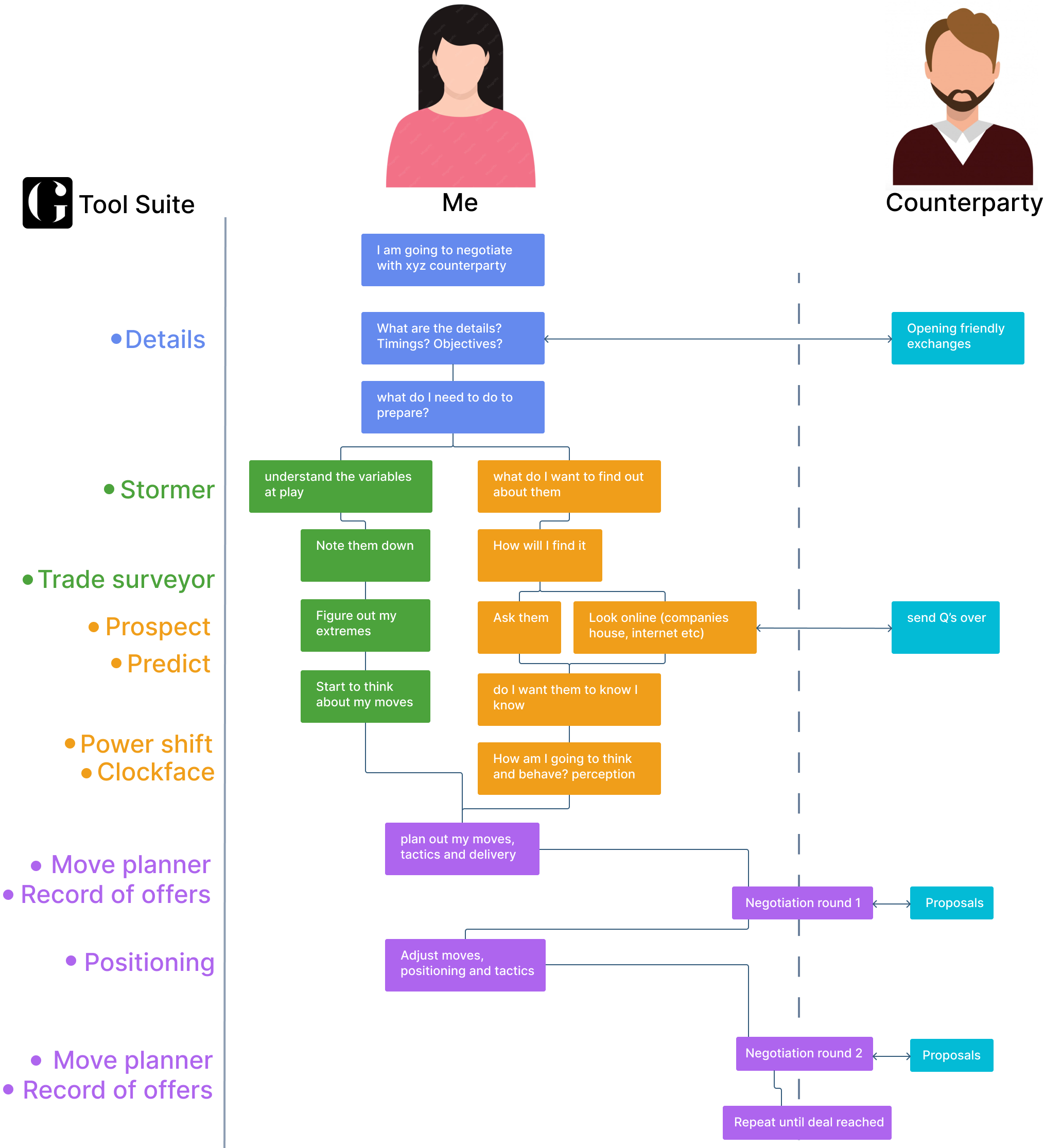
After a few weeks of learning the TCSN tool suite, I noticed no ‘service user flow map’ had been drawn up. I took this opportunity to map one out and understand when the user(s) used each tool, entry and exit points.
I wanted to understand any missing gaps, opportunities and whether each tool was ‘vital’.
The tool suite can be split into 4 groups:
Negotiation Preparation (blue)
Numbers & Variables (green)
Behavioural & Tactics (orange)
Negotiating and Recording (purple)
I also had access to see the % of users using each tool (top 5):
99% - Stormer
97% - Clockface & Trade Surveyor
95% - Move Planner
91% - Record of offers
We spoke to users to see why they did use and didn’t use certain tools. This gave us a starting point for improvements. Each tool was revised and went through a design iteration loop with feedback testing.
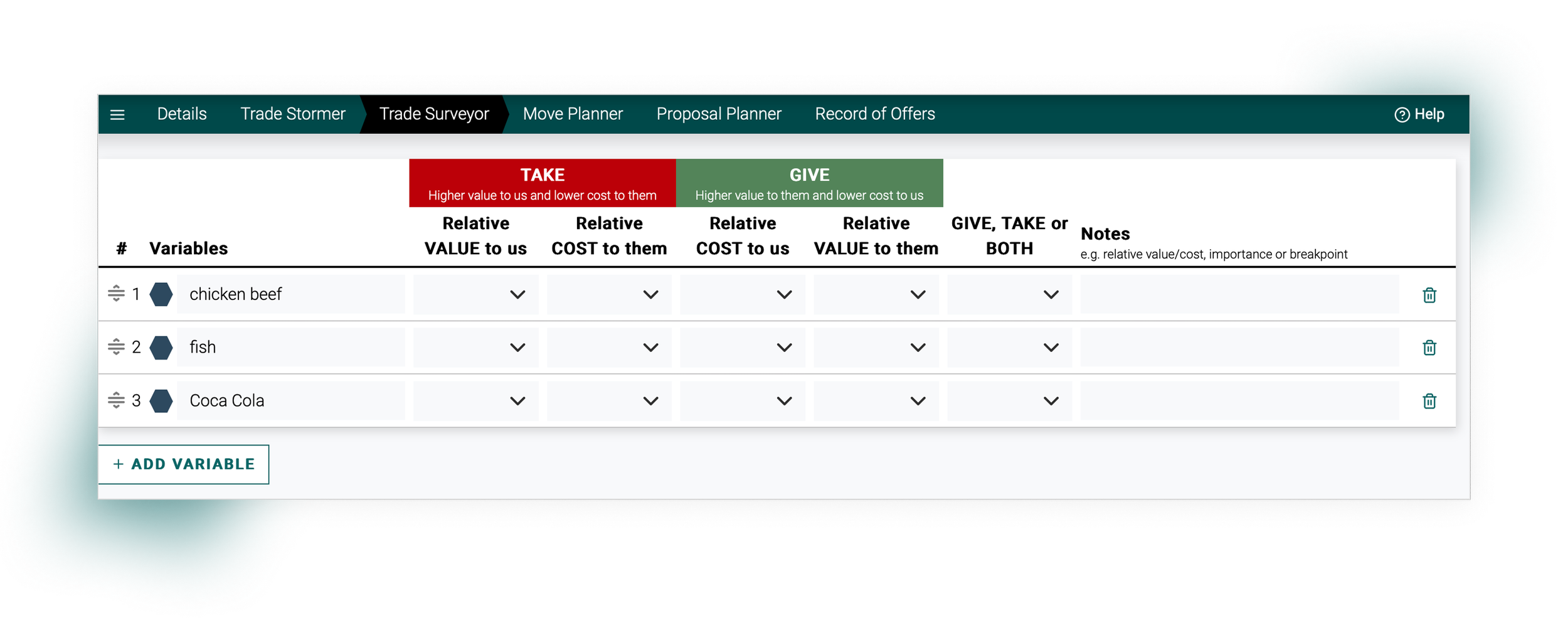
The Trade Surveyor was the first tool that I tackled and had a full re-design, it is the first complex data heavy product in the TCSN line-up.
The Trade Surveyor
It’s ultimate goal is to create trades using variables i.e ‘price‘ for planning out moves.
Variables tend to be tangible which means it has a measurable value such as money or length
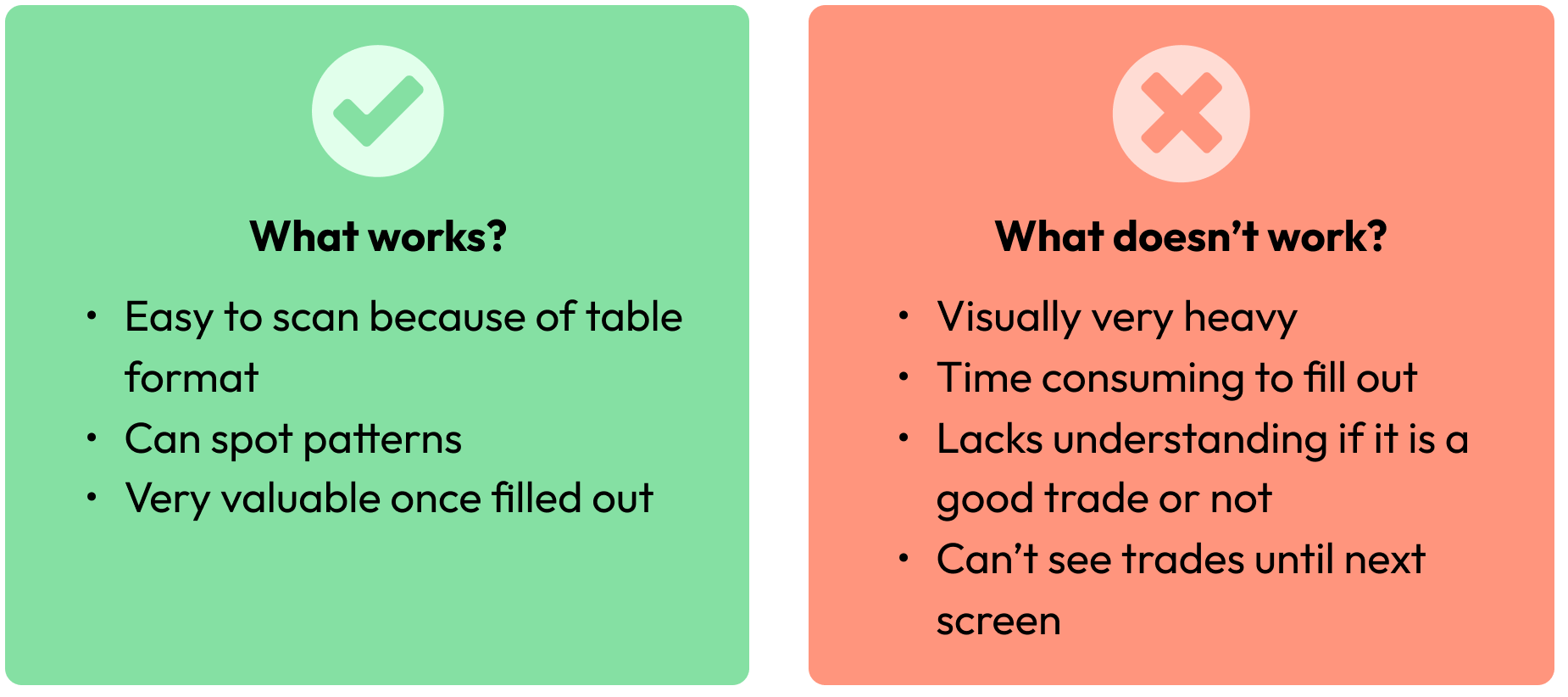
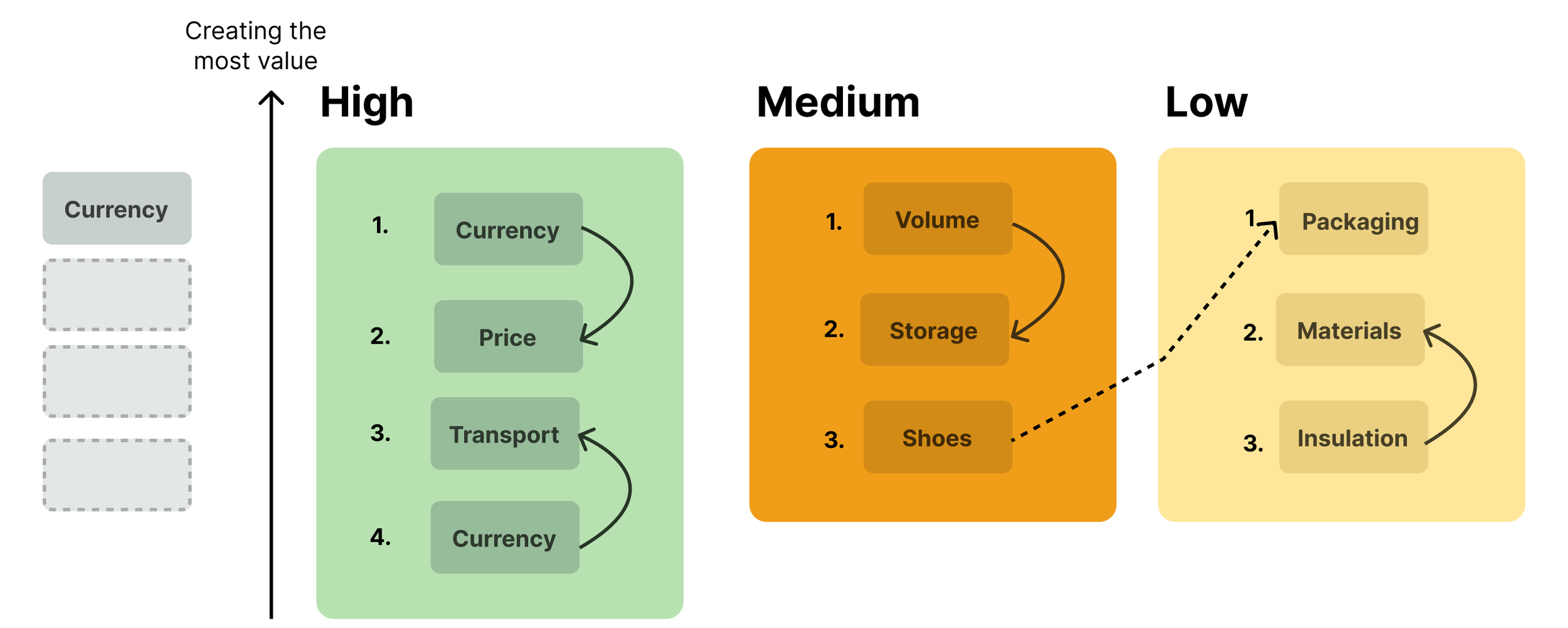
The user clicks into each cell and select, high medium, or low. They have to repeat this 3 more times and then select whether it is a give, take or both. This task is very repetitive and for the user to fill out up to 50 variables, time consuming and errors can creep in.
1st Ideation
2nd Ideation
Stress Testing
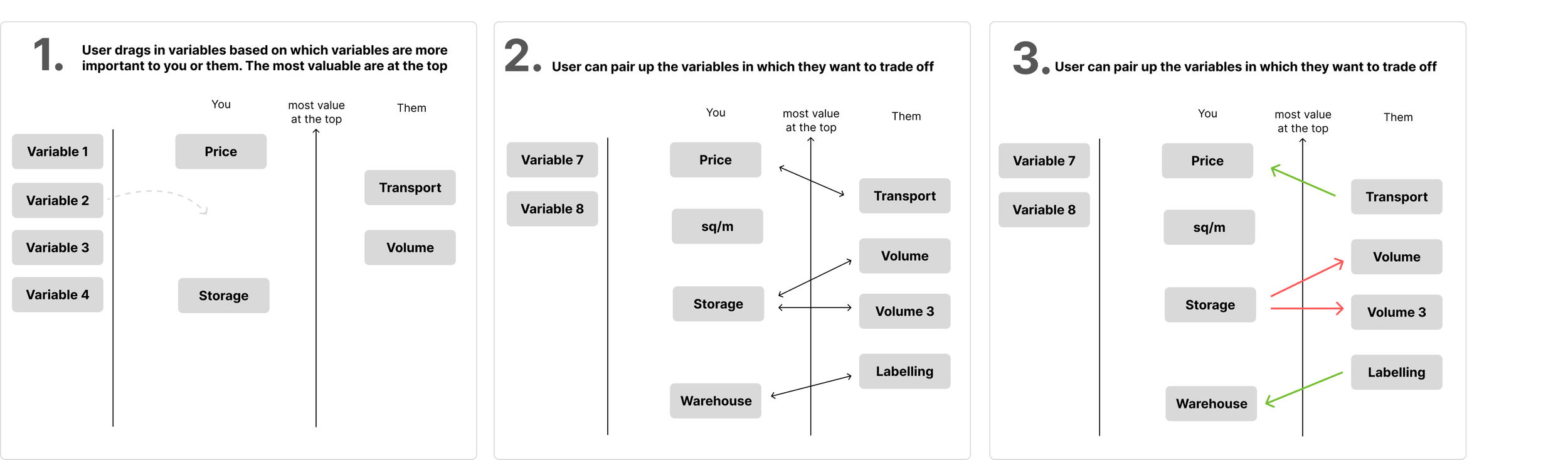
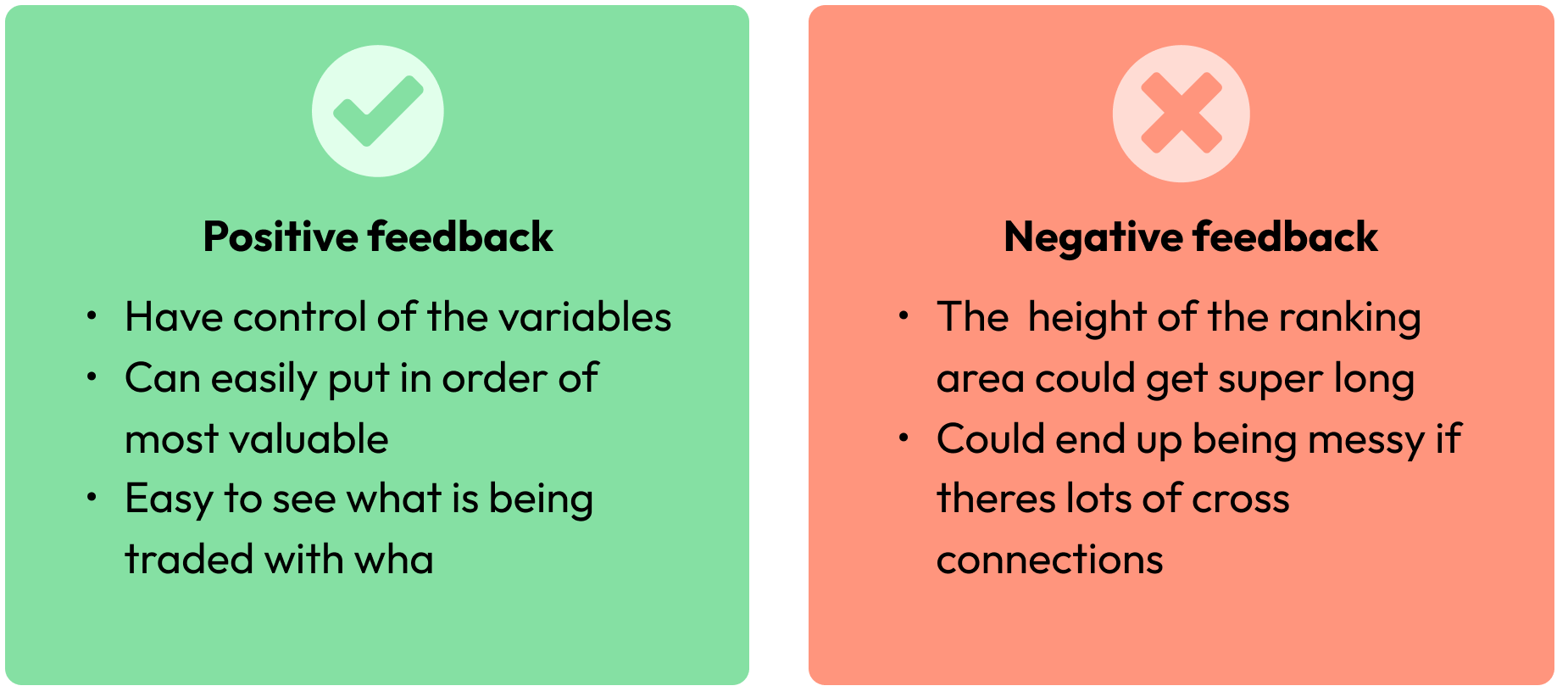
Based off this feedback we wanted to push this design further. We tweaked it so the user can put the variables into buckets. This meant the width of the screen was utilised and the height of the variable area didn’t vertically go off the screen. The buckets also meant for those with many variables it was manageable.
As we stress tested this idea as part of a wider prototype, I noticed that it did’t flow from the previous tool where users noted down their variables. They go from a un restrained interaction where they can add a variable in an interactive area, to a more vertical pattern. My idea was to continue the free interaction to the Trade Stormer and make it feel seamless. The less changes there are screen to screen the more the user feels in control and in turn this will reflect in their negotiation.
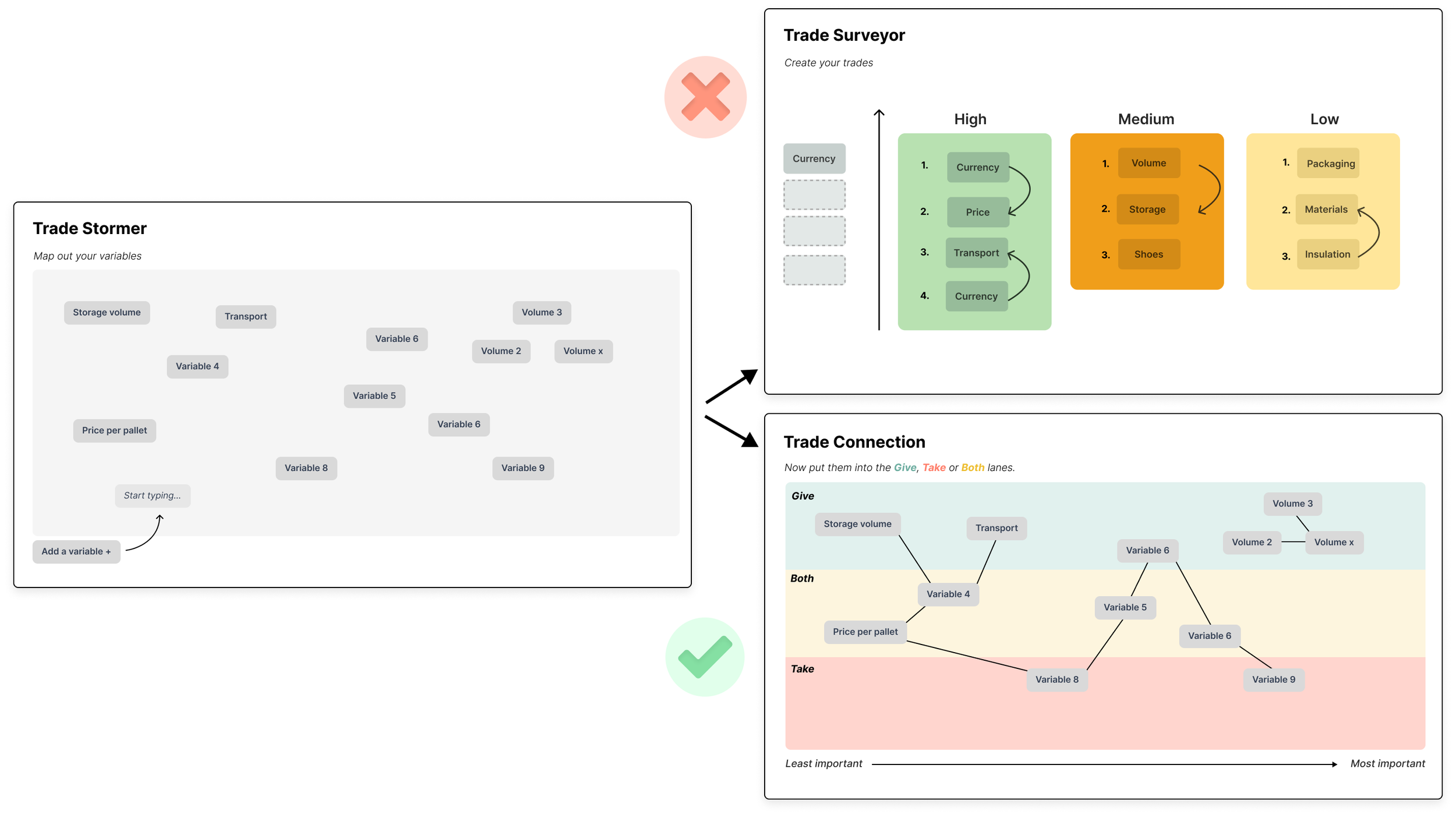
Taking inspiration from a previous project, I created 3 swim lanes for Give, Take and Both. The benefits to this design were:
They could create groups of variables which the previous design couldn’t
They were much more likely to think about their trades
They found the any direction connections better and there was no hesitancy in creating as there was no ‘cross bucket’ connections
85% of users picked up on the ‘x’ axis importance of the variables
(note: the traffic light colours don’t signify good, bad, neutral but were taken from the IP which wasn’t changeable.)
As we tested and spoke to new users around their ways of negotiation we noticed a common theme of users wanting to use time and behaviour as well as importance to create connections. We decided to give the user a second option with this in mind. As this was going on the Gap Partnership acquired another company who had been exploring this exact route. After speaking with their consultants we came up with the following design.
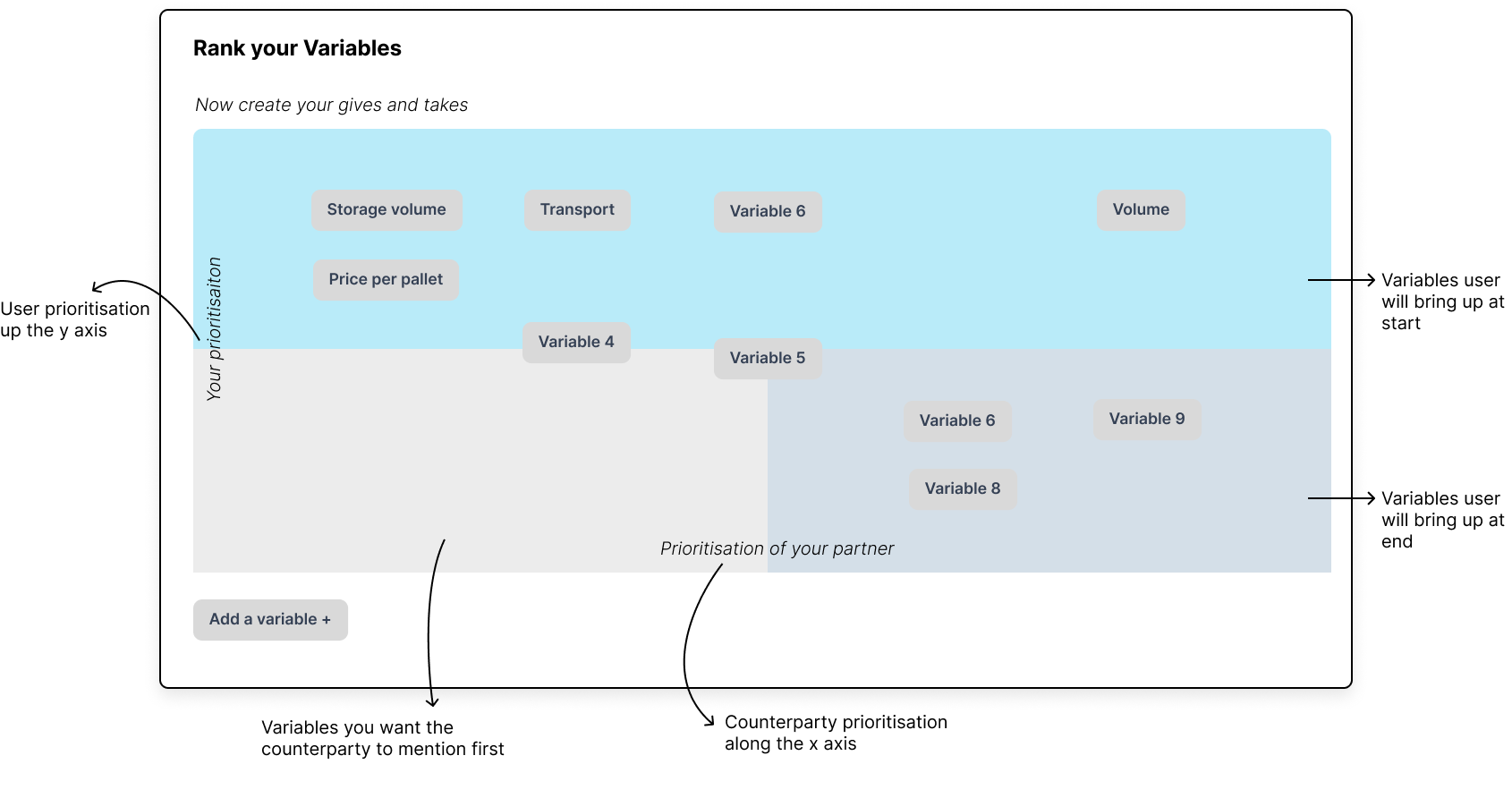
Further Ideation
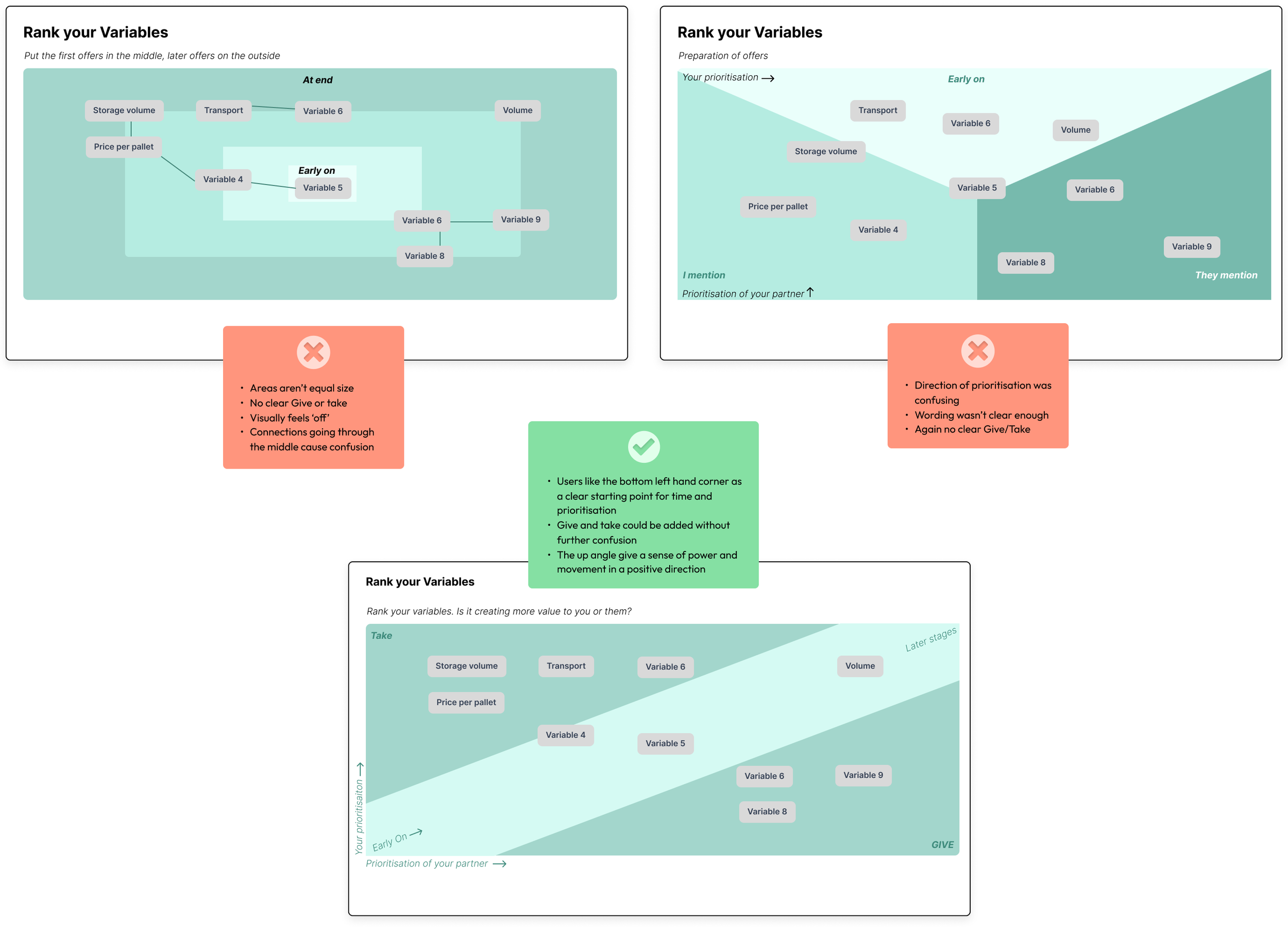
We knew we had the concept there with time, prioritisation & Give/Take. It was now a matter of putting it all together and nailing the visual language so it made sense to the user. We tested a few ideas along with wording to come up with the winning design.
Shipping and Paywalls
As we started to ship the product we thought about how we could add certain features and add them behind paywalls. We had a week long workshop with devs, consultants and the ops team to come up with a tiered paid solution with multiple tiers.
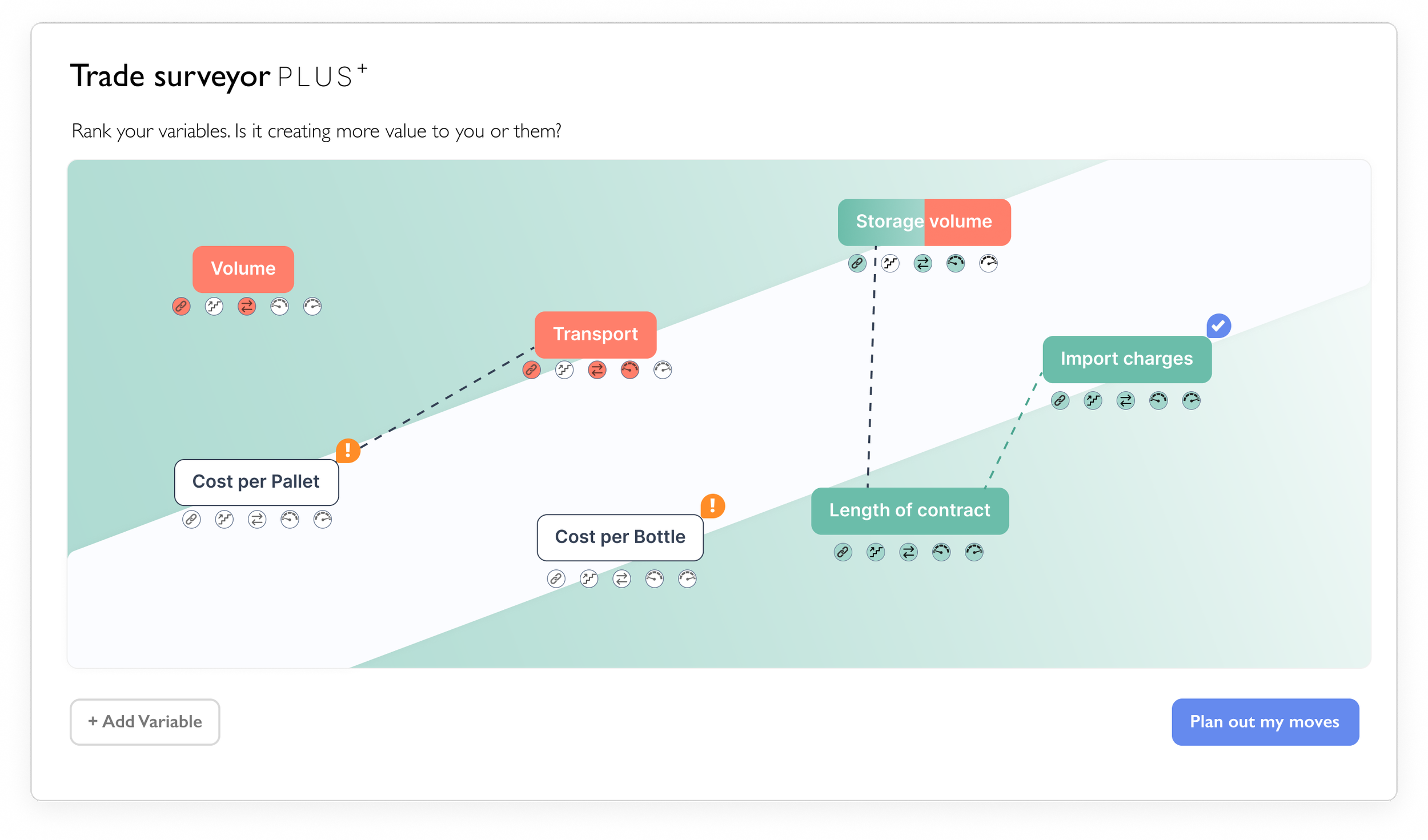
Below you can see the Trade Surveyor PLUS+. This would be the top tier product, it allowed users to check whether the variable was ‘complete.’ The user didn’t have to fill out everything to proceed but encouraging the user to fill them out gave them the best chance to think ahead and maximise their chances of getting better visibility on how the negotiation may pan out. Each variable had the following attributes:
Connection - was the very connected with another to trade off with.
Moves - has the user mapped out the moves for this variable?
Give/Take - Does the user know if it is a Give or Take
Opening - has an opening value been attached
Breakpoints - what is their minimum to not make a loss and maximum to cover costs
Outcome
3 Versions of the Trade Surveyor were shipped. Standard, Extra and Plus.
Over 800 paying businesses with over 9,200 seats including Easy Jet and CocaCola.
A scalable set of tools that cover the TCSN course on both mobile and desktop.
Other challenges faced
User Feedback
Introducing a time element

Integrating AI
DISCOVERY, DESIGN & USER TESTING